Surprising fact: fleets using centralized tools report up to 20% lower fuel burn and faster turnarounds within months of adoption.
I moved my operation from scattered spreadsheets and endless calls to one app and the gains were immediate. Centralizing scheduling, GPS tracking, and driver communication shortens time to decision and trims idle minutes.
Modern tools bring HOS-aware planning, real-time ETAs, in-app chat, time clocks, and read-and-sign forms. Those features let drivers and dispatch work as one team with fewer handoffs and clearer information.
I also value practical integrations like QuickBooks , plus free plans for small teams and paid tiers that start around $29/month. The result is better delivery reliability for customers and measurable ROI for my business.
In this article I’ll walk through market trends, route optimization, core features, product types, integrations, pricing, KPIs, and compliance so you can choose what fits your fleet.
Key Takeaways
- Centralizing tools cuts fuel use and reduces wasted time on the road.
- GPS tracking, ETAs, time clocks, and read-and-sign forms join drivers and dispatch.
- Integrations with payroll and accounting cut double entry and speed billing.
- Small fleets can start with free tiers and scale affordably as they grow.
- Faster communication and clearer visibility translate to better service and repeat business.
My take on today’s dispatch software market for faster, cheaper miles
I’m seeing a clear shift toward mobile-first tools that make fleet operations faster and cheaper. Reviewers assessed 17 options, I dove deep into 10, and we picked five top choices that emphasize HOS-aware scheduling, GPS tracking, time clocks, and in-app chat.
The best dispatch software balances must-have features with a clean UI. That reduces training and speeds adoption for small-to-mid trucking teams.
I value vendors that invest in integrations — QuickBooks, payroll, and ELD links — so data flows across systems without extra clerical work. Transparent user plans and free-for-life tiers (up to 10 users) with paid plans starting near $29/month help fleets scale without surprises.
In practice, streamlined workflows cut unnecessary calls, keep drivers on their phone doing productive tasks, and improve customer satisfaction. My bottom line: pick systems that accelerate dispatcher decisions, empower drivers, and deliver measurable gains for the fleet.
How route optimization slashes fuel costs and travel time
I use dynamic routing every day to shave minutes off runs and gallons off my monthly fuel bill. Real-time feeds and delivery windows let me plan practical routes, not theoretical ones.
Dynamic routing with real-time traffic and delivery windows
I rely on dispatch software that blends traffic feeds and delivery windows so dispatchers minimize deadhead and cut wasted time. GPS tracking gives live location, speed, and direction for accurate ETAs and quick reroutes.
Geofencing and breadcrumbs for smarter re-routing
Breadcrumbs reveal route adherence and detours, while geofencing triggers instant alerts when drivers enter or leave key zones. That makes it easy to reslot loads and send customer updates without extra calls.
Turning idle time and detours into measurable savings
With HOS-aware logic in the system, I avoid noncompliant plans and protect drivers. I measure savings by comparing planned versus actual routes and delivery times and then feed that data into recurring tweaks.
Small, steady gains—fewer detours, better sequencing, and faster information—add up to real reductions in fuel costs and time on the road.
Core features I won’t compromise on for trucking operations
My priority is a system that protects hours and routes while making life easier for drivers and dispatchers.
Scheduling and load assignment tied to HOS and availability
I need scheduling that auto-checks HOS and driver availability so dispatchers assign the right person to the right loads. Automated scheduling saves time and prevents violations.
GPS tracking with accurate ETAs and live updates
GPS tracking must deliver credible ETAs and live updates for customers and my team. Breadcrumbs and geofencing expose detours early so I can re-stage work before a small delay becomes a missed window.
Time and attendance for driver hours and settlements
Time clocks tied to driver hours cut payroll errors and speed settlements. Read-and-sign forms, safety checklists, and QuickBooks/payroll integrations keep records clean for management and audit trails.
These features separate serious trucking solutions from generic field tools—fewer calls, faster settlements, and a fleet that runs with less friction.
Dispatch software vs. pen, spreadsheets, and phone calls
I swapped scattered notes and constant phone calls for a single hub that keeps everyone on the same page.
Centralized communication hub replaces check calls
That centralized system consolidates order details, status updates, and all communication so drivers and dispatchers share live information.
In-app chat and status flags cut routine check calls. Customer portals let customers self-serve, which reduces back-and-forth and lifts customer satisfaction.
A single source of truth maintains loads, ETAs, and proofs. I waste less time reconciling conflicting notes and I see fewer errors from manual entry.
Automated notifications stop most phone calls while making sure critical exceptions still get immediate attention. That gives dispatchers bandwidth to solve problems, not repeat status.
Fewer calls, clearer information, and consistent records make day-to-day business simpler and let the fleet scale without multiplying admin.
Product roundup: Best dispatching software categories for 2025-ready fleets
Choosing the right platform starts with deciding whether you need team management, a carrier TMS, or last‑mile execution. I group solutions into three buyer-friendly buckets so picks match real needs, not feature lists.
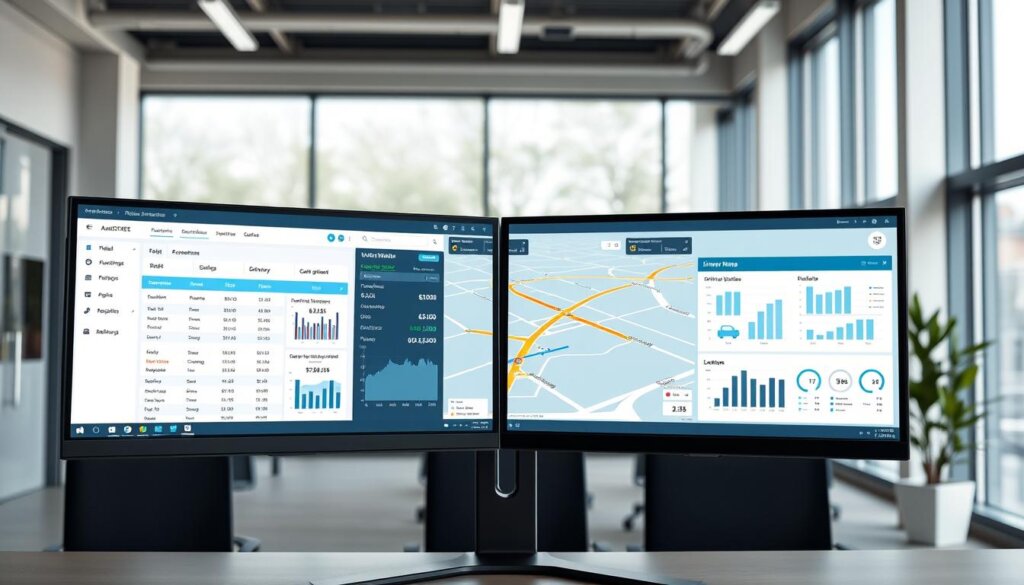
All-in-one team management plus dispatch for small-to-mid fleets
These platforms bundle mobile-first access, GPS tracking, employee time clocks, read-and-sign forms, and breadcrumbs. Pricing often begins near $29/month for larger user tiers, with a free starter plan for up to 10 users.
They cut routine calls, speed check-ins, and make daily operations simpler for drivers and office users.
Carrier TMS focused on dispatch, invoicing, and driver pay
Carrier systems like transportation management system focus on dispatch workflows, fast invoicing, and driver settlements. They pair QuickBooks sync with ELD and EDI links so truck data maps to specific loads and accounting stays clean.
Last-mile orchestration with national delivery network
Last-mile platforms combine orchestration tech with a nationwide driver network. That gives intelligent routing, real-time tracking, open APIs, and consistent national coverage when you need execution at scale.
I evaluate each category by ease of use, must-have features, price-to-value, and how well it scales as fleets and customers grow.
Last-mile advantage: AI-powered routing and nationwide delivery execution
For multi-market customers, AI routing plus nationwide execution turns promise into predictable delivery. I lean on platforms that combine intelligent planning with real drivers so I get coverage and control at the same time.
Intelligent routing with real-time tracking via your fleet or a driver network
AI-driven routing plans the best vehicle and window for each stop. Real-time tracking and delivery updates keep customers informed without extra calls.
That means fewer surprise delays, better customer satisfaction, and a single source of truth for vehicle status and proof of delivery.
Open APIs and fast integrations for tech teams
Open APIs let my tech team push orders and pull status into our existing system quickly. Fast integrations pass data, signatures, and updates so we avoid duplicate entry and reduce manual work.
The result: reliable execution at scale and fewer interruptions for dispatch and drivers.
ELD, EDI, and QuickBooks: The integrations that make or break efficiency
When integrations are solid, my team spends time moving loads — not fixing records. Integration quality decides whether on-truck events become actionable information or another inbox to clean up.
ELD data tied to specific loads for true in-context visibility
I insist that ELD data map directly to loads and customer records. transportation management system links with 30+ ELDs so real-time tracking ties back to the exact job and customer.
That makes GPS breadcrumbs and hours-of-service notes useful to operations and billing teams.
EDI for direct customer links without technical headaches
For enterprise customers, EDI removes manual handoffs. I want my provider to handle complexity so systems talk without constant IT firefighting.
Clean EDI lowers errors, cuts calls, and speeds confirmations.
QuickBooks Online/Desktop sync to eliminate double entry
Seamless QuickBooks sync keeps invoices and settlements aligned with dispatch events. When financials match truck-level performance, cash flow speeds up.
Good integrations stabilize systems, reduce calls, and turn raw data into reliable information for customers and leadership.
From dispatcher to driver: Communication that boosts customer satisfaction
When my team shares the same live updates, surprises drop and customer satisfaction rises.
I treat in-app communication as a core workflow. Dispatchers post route changes and drivers acknowledge instantly, without juggling phone calls or paper notes.
Automated status updates keep customers in the loop and set clear expectations. That reduces back-and-forth and frees time for the parts of the business that need human attention.
A 24/7 customer portal gives users visibility into ETAs and invoice status so routine calls fall away. Documented threads cut misunderstandings and create an audit trail for quick service recovery.
Drivers get concise instructions and fewer distractions. Dispatchers focus on exceptions, not repeating the same updates. When I align messaging with live tracking, I resolve issues faster and keep customers happier.
The result is better customer service, stronger satisfaction, and repeat business driven by clear, consistent information.
Driver settlements and documentation that speed up cash flow
Fast, accurate driver pay starts when completed loads feed directly into settlements without manual re-entry.
I use a system that pulls load data into pay runs, supports stop pay, accessorials, and recurring deductions. That flexibility means fewer spreadsheet edits and fewer late checks.
Invoices go out daily from the TMS or QuickBooks and sync both ways. Digital proof and signed documents travel with the load so billing and collections don’t stall for missing paperwork.
Cleaner information cuts disputes and reduces status calls. I track time and hours in the same tool, which keeps payroll and settlements aligned and protects driver trust.
Visibility into vehicle and fuel costs makes trip-level profitability clear. When operations and accounting work from the same data, month-end closes faster and cash hits the bank sooner.
Good management here converts administrative efficiency directly into cash and happier drivers.
Mobile-first workflows: Why drivers need everything on their phones
Putting every task on a driver’s phone turned routine chaos into predictable progress for my team. Many apps now deliver full workflows on mobile devices: onboarding, read-and-sign forms, checklists, GPS tracking, and time clocks.

On-the-go onboarding, read-and-sign, and checklists
I push onboarding and training to the phone so new users ramp fast. AI course creators and in-app lessons let me refresh training without pulling drivers off the road.
Read-and-sign forms and safety checklists live in the same system. That standardizes proofs, photos, and signatures at delivery and keeps records audit-ready.
Real-time updates reduce calls and keep dispatcher/driver communication crisp and documented. Time clocks and shift tools cut payroll friction and speed accurate payouts.
The net effect: faster time to proficiency, tighter communication, and more reliable execution on every run.
Pricing and ROI: What I’m seeing in the U.S. market right now
I evaluate price plans by how quickly they pay back in saved time and fewer miles. Entry tiers often include a free-for-life option for up to 10 users, while paid plans commonly start around $29/month for small teams.
There are two main models: per-user tiers and per-truck pricing. Per-user plans suit growing back offices, while per-truck works if vehicle counts drive costs. Enterprise suites can exceed $300 per user when advanced features and custom integrations are needed.
User-based and per-truck models, plus tiered plans
I compare total cost of ownership, not just license fees. I include onboarding, mobile adoption, and any IFTA or integration fees when projecting spend.
How GPS tracking and automation pay for themselves
ROI shows up from gps tracking that trims deadhead, automation that cuts manual entry, and faster invoicing that speeds cash. Fewer phone calls and cleaner data lower soft costs and protect customer relationships.
Net-net: pick a plan that fits your fleet size and feature needs so the investment returns in months, not years.
Data, dashboards, and KPIs: Managing fleet performance by the numbers
Numbers tell the real story — I watch profit and loss by truck every week to spot leaks fast.
Truck-level profitability and load-level insights
Truck-level dashboards unify tracking events, documents, and accounting so decisions match real costs. Those views turn raw data into clear information that highlights which routes and equipment cost more than they earn.
I need a system that lets a dispatcher click a KPI and drill straight into the exact job, driver, and documents. That drill-down saves time and avoids debates when issues appear.
Tracking-based updates feed weekly reports that reveal planning gaps and routing problems. I monitor acceptance rate, average detention, revenue per mile, empty miles, and invoice cycle time to measure performance.
QuickBooks sync keeps financials aligned with operations so the information on the dashboard matches the ledger. The right software and tools reduce calls and give management a shared set of facts.
With clean metrics and configurable dashboards, small insights compound into big gains across the fleet.
Compliance made simpler: IFTA, HOS, and audit-ready records
Keeping audit-ready records used to feel like patchwork, but now I make compliance part of daily routines.
I choose systems that bake IFTA calculations and HOS-aware planning into normal workflows. That passive capture of hours and movements means fewer last-minute spreadsheets and fewer panic calls when auditors ask for proof.
Tracking tied to driver and vehicle records keeps data and information in context. Events link back to the load, so every signature, log, and trip mile is exportable for audits or customer reviews.
Proactive updates and alerts help drivers avoid violations before they happen. Standard features like document storage and time logs make inspections quick and painless.
Good compliance tooling isn’t glamorous, but it makes the job predictable. Management visibility into open issues lets me coach drivers fast and close gaps before they cost fuel or time.
How I evaluate dispatching software for small and mid-sized fleets
When I vet new platforms, I start by timing how quickly a dispatcher can complete a full load cycle. That quick hands-on check tells me more than a sales demo ever will.
Ease of use, implementation, and training
I prioritize ease of use because adoption hinges on how fast dispatchers and drivers can be productive. If the UI is confusing, tickets and workarounds multiply.
Implementation speed, data migration, and available training determine how fast I see ROI. Shorter timelines cut disruption and get the fleet back to profitable work sooner.
Feature depth vs. bloat for everyday users
I balance features against bloat. I favor tools that nail dispatch, invoicing, and driver settlements over niche extras no one uses.
For a growing fleet, scale matters. I check that the system handles more trucks and users without turning simple tasks into complex workflows.
What I test and why it matters
I run real-user tests. Dispatcher ride-alongs during demos reveal friction immediately. Those sessions show whether training will be short or endless.
I assess integrations—ELD, EDI, and QuickBooks—and profitability dashboards as table stakes. They keep operations and management aligned and reduce manual entry.
Finally, I vet the vendor as a long-term partner: roadmaps, references, clear pricing, and support SLAs matter. Fewer support tickets and happier users mean we made the right choice.
Dispatch software: My top use cases that deliver immediate wins
Small changes in routing and communication yield big wins for fuel spend and on-time performance. I focus on use cases that are simple to deploy and measurable in weeks, not months.
Cutting fuel costs with smarter routing and fewer deadhead miles
I rely on dynamic routing and live tracking to optimize routes and trim deadhead. That directly lowers fuel and makes each truck more productive.
Breadcrumbs reveal detours and idle pockets I fix on the next cycle. The gains show up as gallons saved per week and reduced cost per mile.
Reducing delivery times with proactive updates and re-dispatch
Proactive customer updates and fast re-dispatch keep delivery times tight even when plans change. I push alerts to drivers and customers so surprises shrink and acceptance grows.
Standardized load workflows speed documentation, so post-trip billing and driver settlements close faster. Integrations with ELDs and accounting systems turn events into cash, not extra work.
Bottom line: smarter routing, live tracking, and clear workflows cut fuel costs, shorten delivery times, reduce calls, and often pay back the investment in the first quarter.
Conclusion
The fastest wins come from systems that centralize planning, tracking, and crew communication.
I recommend piloting with real lanes, drivers, and customers so you validate results quickly. Start by fixing everyday pain: dispatch, invoicing, and settlements, then add advanced tools.
Tracking-driven visibility reduces calls and boosts customer satisfaction. Good integrations — ELD, EDI, and QuickBooks — make management and accounting trust the same data.
Pricing often starts low and scales as your fleet grows, so small teams can test without big risk. When routing, documentation, and payments line up, the gains compound into faster cash flow and better service.
Choose a platform that feels intuitive on day one and proves value in weeks. For trucking operations ready to modernize, this is the quickest path to sustained efficiency and happier customers.
See how FieldAx can transform your Field Operations.
Try it today! Book Demo
You are one click away from your customized FieldAx Demo!
FAQ
How does modern dispatch software cut fuel costs and travel time?
I use route optimization and live traffic data to plan the shortest, fastest trips. By reducing idle time and deadhead miles, my system trims fuel use and improves on-time delivery. Accurate GPS tracking and ETA updates also let me reroute drivers around congestion, which saves both time and fuel.
What core features should I insist on for trucking operations?
I look for scheduling tied to hours-of-service (HOS), load assignment based on availability, and GPS tracking with live ETAs. Time-and-attendance tools for driver hours and settlements are essential too. These features keep operations legal, efficient, and easy to manage.
How does dynamic routing work with delivery windows?
I layer real-time traffic, delivery windows, and vehicle capacity into route plans. When traffic or priorities change, the system recalculates routes and nudges drivers via mobile devices. That makes meeting tight windows possible without wasting miles.
Can integrating ELD and QuickBooks really speed up finance and compliance?
Yes. When I tie ELD data to specific loads, I get context-rich logs for audits and IFTA. Syncing with QuickBooks Online or Desktop eliminates double entry, speeds invoicing, and shortens cash cycles by automating payroll and settlements.
How do I choose between user-based and per-truck pricing?
I weigh team size, truck count, and expected feature use. User-based plans suit small teams with many trucks; per-truck plans fit operations with many drivers but fewer back-office users. I also compare tiers to avoid paying for features I won’t use.
What ROI can I expect from GPS tracking and automation?
In my experience, fuel savings, fewer phone calls, and reduced detention time deliver measurable ROI within months. Automation cuts manual scheduling work, lowers fuel burn, and improves on-time rates, so gains show up in dispatcher productivity and customer satisfaction.
How does a centralized communication hub replace check calls?
I replace repetitive phone calls with in-app updates, automated ETAs, and two-way messaging. That frees dispatchers to focus on exceptions and lets drivers report issues directly from their mobile devices, improving response time and reducing call volume.
What types of dispatching platforms should fleets consider for 2025 readiness?
I recommend considering all-in-one team management for small-to-mid fleets, carrier TMS for dispatch plus invoicing and driver pay, and last-mile orchestration if you need nationwide delivery execution. The best fit depends on your scale and workflows.
How do open APIs and integrations help my tech team?
I use open APIs to connect telematics, EDI, and back-office systems quickly. That lets IT integrate customer portals, load boards, and accounting systems without heavy middleware, speeding deployment and reducing errors.
What immediate wins can I expect from implementing this technology?
I typically see faster routing, fewer deadhead miles, improved delivery times, and fewer phone calls. Those wins boost fuel efficiency, driver satisfaction, and customer service almost immediately.
How do I ensure drivers adopt mobile-first workflows?
I focus on simple apps with read-and-sign, checklists, and on-the-go onboarding. Training that shows drivers how the app saves them time and helps settlements increases adoption quickly.
How do I measure fleet performance with dashboards and KPIs?
I track truck-level profitability, load-level margin, on-time percentage, and fuel per mile. Dashboards that show these metrics in real time help me spot trends and act on issues before they cost money.
What compliance features should I look for to stay audit-ready?
I require automated HOS logs, IFTA-ready fuel reports, and secure document storage. These tools keep records organized and make audits and inspections far less painful.
Can last-mile AI routing work with my fleet and external driver networks?
Yes. I use intelligent routing that combines my fleet’s live tracking with contractor networks. AI balances load, capacity, and customer windows to maximize utilization while keeping delivery promises.
How do carrier TMS features impact driver pay and settlements?
I integrate load-specific data with payroll to automate settlements and reduce disputes. Accurate route and time records speed up driver pay and improve cash flow for my operation.
What training and implementation factors matter most for small and mid-sized fleets?
I prioritize ease of use, clear onboarding, and hands-on training. Simple interfaces and role-based access reduce the learning curve and help teams deliver value faster.
Author Bio

Co-Founder & CMO at Merfantz Technologies Pvt Ltd | Marketing Manager for FieldAx Field Service Software | Salesforce All-Star Ranger and Community Contributor | Salesforce Content Creation for Knowledge Sharing