I learned that businesses which reduce no-shows by 30% see faster growth and happier customers. That surprised me, and it changed how I run my field service operations.
I treat technician tracking not as a map, but as a system to boost accountability, on-time performance, and customer trust. I align the setup to my field goals so schedules run tighter and staffing decisions are data-driven, without added admin work.
I use a mix of service software, mobile tools, and clear customer messages so people know who’s arriving and when. Real-time statuses, staff profiles with photos, and automated reminders improve safety, reduce doorstep confusion, and lift the overall customer experience.
Finally, I test notifications and the customer portal before rollout and track on-time metrics and mean time to service to coach my crew and measure real business outcomes.

Key Takeaways
- Use tracking to link location data with accountability and measurable performance.
- Configure service software and mobile tools to cut no-shows and streamline schedules.
- Share staff photos and arrival windows to boost customer confidence.
- Leverage real-time statuses and automation for clearer communication.
- Validate notifications and portals before a live rollout to protect the customer experience.
Why I’m investing in technician tracking right now
I’m investing in live location tools because customers expect real-time visibility—where the tech is, when they’ll arrive, and what’s happening—without picking up the phone.
Digital change means people want transparency for field visits. Good field service software shows a technician’s real-time location in a customer portal or mobile app. It can also automate messages for delays, cancellations, and distance to site.
That automation reduces calls and texts, which keeps my crew safer and more focused. It also gives consistent visibility across full-time staff and contractors so everyone follows the same playbook.
From real-time maps to real results: setting intent for this how-to
My goal with this guide is practical: convert live maps into measurable business outcomes—fewer failed appointments, quicker response time, and stronger first impressions at the door.
I’ll show how status changes trigger timely, useful communication so customers stay informed without spam. I’ll also cover how I evaluate software solutions that fit my team today and scale as we grow.
Technician tracking essentials and the business case
Clear, real-time location and status updates have become a baseline expectation for any modern field operation. I define this as live visibility into a tech’s status, shown in a customer portal and a mobile app that automates timely updates.

Customer experience gains: visibility, control, and fewer no-shows
When I give customers accurate ETAs and live updates, they feel in control of the day. That visibility cuts no-shows and reduces last-minute reschedules.
Profiles with names and photos also calm doorstep uncertainty and improve the overall experience of my services.
Field technician benefits: safety, fewer calls, real-time insights
On the field side, automated updates remove constant ETA calls while driving and boost safety. Route guidance, property notes, and job history on a mobile device keep work efficient.
Organizational impact: mean time to service, productivity, and brand trust
For my business, this reduces wasted trips and improves mean time to service. Fewer failed appointments mean my crews complete more jobs per day.
Consistent communication builds brand trust and makes blended workforces easier to manage.
Today’s context: digital expectations and transparency in the field
Modern customers expect timely updates from service providers. Choosing software that integrates with field service management, scales, and supports contractors is critical to deliver that transparency.
How I configure my field service system for technician tracking
I start by confirming essentials: the field service mobile app is installed, location sharing is enabled in the system and on each device.
Enable Track My Technician in the portal
In Field Service I go to Settings > Customer Portal, open the settings record, and turn on Track My Technician. On that tab I enable the map, resource name, image, and phone so the portal shows who’s assigned and how to reach them.
Display and status rules I use
I keep display settings reassuring: name and photo reduce doorstep confusion, and a phone icon allows quick contact if needed.
For status behavior I use Scheduled, Traveling, In Progress, and Complete. Traveling shows live location and ETA. In Progress stops live location sharing to protect privacy.
My test plan
I create a test account with a local address and a contact with email and mobile. I book a work order, assign a resource with mobile app access and location sharing, then save the booking to trigger email and sms. I flip the status to Traveling to validate the live map and ETA, then to Complete to confirm the final notification. I document screenshots and train the team so jobs behave predictably in production.
Automating communications for a smoother customer journey
I set up automation so routine messages happen without extra work from my team. That keeps customers informed and lets my office focus on real issues.
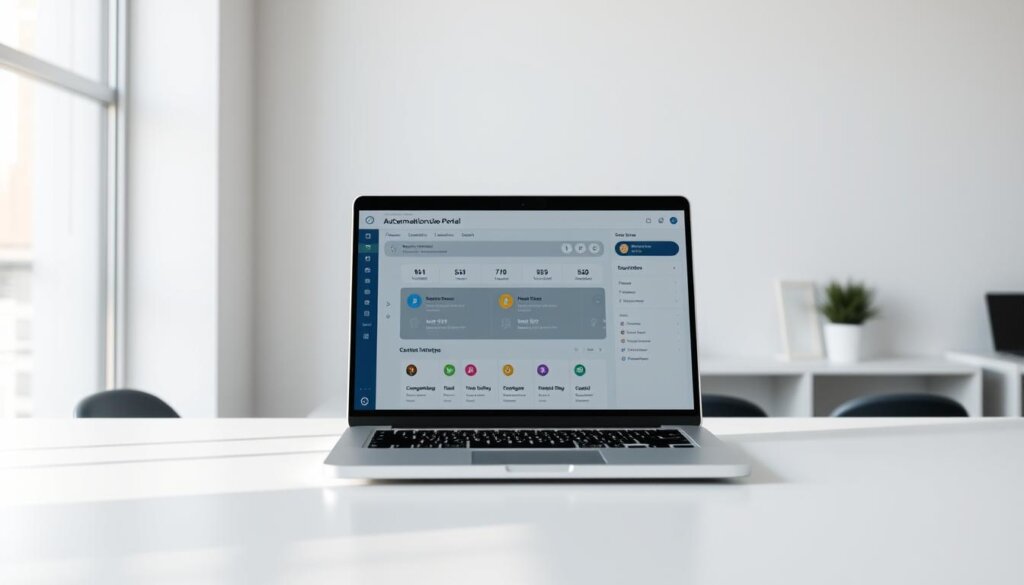
SMS and email reminders, traveling updates, and completion messages
I send short SMS and email notifications for reminders, traveling ETAs, and job completion. Each message includes appointment windows, the job number, and a portal link so the customer can see details fast.
Live profile and portal: who’s coming and when
The live profile shows name, photo, and credentials. I trigger it automatically when my field worker taps Travel in the app. If vehicle location isn’t available, I still send the profile so customers know who to expect.
When updates stop: arrival or cancellation
I configure the portal to stop sharing location when the crew marks arrival or if the job is canceled. That protects privacy and prevents stale information from confusing the customer.
Less admin, better communications
Automation reduces manual outreach and keeps routine communications consistent. I test messages across carriers and inboxes, include an easy reschedule path, and monitor delivery and replies to fine-tune timing.
Turning tracking into accountability and performance
I turn live location data into clear, measurable goals so my team improves week over week. That focus lets me link on-the-ground activity to business results and coaching priorities.
KPIs I monitor: on-time arrival, mean time to service, failed appointments
I monitor on-time arrival, mean time to service, and failed appointments every week. Those numbers show whether my scheduling and communications are working.
I also watch job duration and repeat visits to spot where more prep or parts would raise first-time fix rates.
Blended workforce visibility: consistent processes across full-time and third-party techs
I apply the same status-driven processes to full-time staff and third-party workers so everyone follows one standard. Consistent rules reduce confusion and make coaching fair.
Route, status, and job data: using insights to optimize schedules and tasks
I analyze route efficiency and status transitions to find bottlenecks, like long gaps between Scheduled and Traveling. Then I coach technicians and adjust routes.
I evaluate software features that support accountability—automatic time stamps, GPS breadcrumbs during Traveling, and clear visibility of assigned jobs. Those insights help me rebalance territories, tweak shifts, and improve customer updates.
Conclusion
I wrap up by saying that well‑implemented technician tracking turns portal visibility into real business gains when configuration, automation, and KPIs work together.
Start with essentials: show name, photo, phone, and map in the portal, define clear status behavior, and automate short SMS and email updates. Stop live location on arrival or cancellation to protect privacy.
Measure results: mean time to service, on‑time arrival rates, fewer failed appointments, and more completed jobs. Standardize processes across full‑time staff and partners so the blended field workforce performs the same.
I encourage a simple test plan, easy‑to‑adopt software, and monthly reviews of route, status, and job data. Start small, validate the flow, and use the data to guide your next improvement.
See how FieldAx can transform your Field Operations.
Try it today! Book Demo
You are one click away from your customized FieldAx Demo!
FAQ
What exactly do I gain by using field service mobile location features?
I get real-time visibility into where my crew is, but it’s more than maps. I use location data to reduce no-shows, set accurate ETAs for customers, and measure on-time arrival rates. This improves customer experience and helps me spot workflow bottlenecks fast.
Why am I investing in this system right now?
Customers expect transparency and fast service. By adding a live portal and automated SMS/email updates, I meet those expectations, cut phone traffic, and lower appointment failures. It also gives me a clear business case: better brand trust and measurable productivity gains.
How does this help customers feel more in control?
I show a live profile with name, photo, phone, and an ETA so customers know who’s coming and when. That visibility reduces anxiety, limits repeat calls, and increases satisfaction. Optional arrival messages and cancellation notices keep communication clean.
What benefits do field staff see from the solution?
Field workers get safety and efficiency improvements. With automated updates and a mobile app, they make fewer status calls, follow clearer routes, and log job progress in real time. That cuts admin time and helps them focus on work, not paperwork.
How do I set up the system to protect privacy and avoid over-sharing?
I configure display settings so customer-facing screens only show necessary details: first name, photo, company phone, and a moving icon. Location sharing ends at arrival or cancellation. I also limit tracking windows and follow local privacy rules to stay compliant.
What prerequisites should I check before enabling this feature?
I confirm my team uses a supported field service mobile app, enable location sharing in devices, and connect SMS and email gateways. I also test the customer portal and verify notification templates for consistency before going live.
How do I test the flow end-to-end?
I create a test account, book a job, and run through the status changes: Scheduled, Traveling, In Progress, Complete. Then I trigger the SMS and email sequences, confirm ETA accuracy on the map, and validate arrival/cancellation behaviors in the portal.
What automations improve the customer journey most?
Timed reminders, traveling updates with ETA, and completion messages reduce uncertainty. I automate confirmations and allow customers to reschedule via SMS links. These automations cut admin load and improve first-time success rates.
Which KPIs should I track to show ROI?
I monitor on-time arrival percentage, mean time to service, failed or rescheduled appointments, and first-fix rate. I also track customer satisfaction scores and reductions in inbound calls to measure communication gains.
How do I manage a blended workforce with this system?
I enforce consistent processes across full-time and third-party crews by standardizing status codes, required check-ins, and mobile workflows. That gives me unified route and job data for reporting and fairness in performance metrics.
How can I use route and status data to optimize operations?
I analyze route efficiency, travel times, and idle periods to reorganize schedules and balance workloads. Job status timelines reveal repeat delays so I can adjust technician assignments or provide extra training where needed.
What happens when updates stop or a job is canceled?
I stop location sharing at cancellation or arrival to protect privacy and avoid customer confusion. I also send a clear cancellation notification and update internal status so dispatch can reassign work promptly.
How do I reduce admin workload while keeping customers informed?
I automate routine communications, let the portal handle ETA display, and provide simple self-service options for customers to confirm or reschedule. That reduces manual emails and phone tags and lets my team focus on high-value tasks.
Author Bio

Co-Founder & CMO at Merfantz Technologies Pvt Ltd | Marketing Manager for FieldAx Field Service Software | Salesforce All-Star Ranger and Community Contributor | Salesforce Content Creation for Knowledge Sharing