
Surprising fact: In the last five years, more than half of small businesses shifted from walk-ins to online bookings, and that change made same-day service possible at scale.
I cut the back-and-forth and deliver same-day visits by showing real-time availability where customers can self-book fast. My setup relies on two-way calendar syncing, instant notifications, payments at booking, and automated reminders that lower no-shows.
I test tools like Calendly, Setmore, and SimplyBook.me for ease of setup, calendar integrations, and deposit options that lock same-day slots. I also watch for native email and CRM links so details land in one place.
Over time my process grew from single-person bookings to team workflows without losing speed. The right app frees up time for higher-value work and cuts manual errors.

Key Takeaways
- Real-time availability and two-way calendar sync make same-day bookings reliable.
- Automated reminders and notifications reduce no-shows and save time.
- Choose tools with payments and CRM integrations to lock and log appointments.
- Free plans let you test options before upgrading for more team features.
- The right mix of features scales from solo to team without slowing service.
Why I rely on scheduling apps to deliver same-day service
A simple booking link did more for my calendar than weeks of email threads. A public link let customers choose a slot and get instant confirmation. That single change stopped ping-pong emails and sped up conversions.
From back-and-forth emails to instant bookings: my turning point
Two-way sync with Google and Outlook kept my main calendar clean. I could offer same-day availability without risking double-booking.
Time zone detection prevented mistakes when I opened short-notice slots to out-of-town clients. And buffers between meetings protected my schedule from spillover.
Same-day availability, reduced no-shows, and faster follow-ups
Automated confirmations, reminders, and notifications cut no-shows noticeably. I used both email and SMS when available to get the best results.
The app interface mattered: a clear, mobile-friendly flow increased completed bookings. When notes and confirmations hit my CRM automatically, I saved hours each week.
I track no-show rates before and after reminders to measure ROI. The quicker the app confirmed a booking, the more confident a customer felt about short-notice appointments.
User intent and what “Scheduling software” shoppers want right now
My first question is always: what problem are you trying to solve? When buyers look for booking options, they focus on clear plans, honest pricing, and the exact features that solve day-to-day work.
Commercial intent: comparing plans, features, and integrations
Shoppers compare plans to see total cost and limits. They want to know if payments, SMS reminders, or round-robin are behind paywalls.
I map integrations to a stack: CRM (Zoho/HubSpot), video (Zoom/Google Meet), and payments (Stripe/PayPal). That reveals hidden savings and avoids surprises.
Shortlist criteria for small businesses vs. larger teams
For small businesses, I favor free or low-cost tiers that include calendar sync, reminders, and easy setup.
For a growing team, I look for pooled availability, admin controls, reporting, and advanced features like workflow automation.
My must-have features for speed: calendar syncing, payments, and notifications
I focus on speed: the right mix of calendar sync, instant payments, and clear notifications lets me lock same-day slots fast.
Two-way calendar integrations are non-negotiable. I use tools that sync with Google, Outlook, iCloud, and Office 365 so availability updates instantly and double-bookings vanish.
Two-way calendar integrations: Google, Outlook, iCloud, Office 365
I pick apps that support native integrations. Calendly, Zoho Bookings, and many others cover the big calendars I need. That live connection keeps my availability accurate across devices.
Instant confirmations, reminders, and time zone detection
I enable instant confirmations by email and, when available, SMS so the customer trusts the booking is locked. Automated reminders at 24 hours and 1 hour cut no-shows.
Time zone detection saves me from awkward reschedules when I accept remote or traveling clients.
Taking payments and deposits to secure same-day slots
I take payments or deposits with Stripe, PayPal, or Square to secure high-demand time. A small upfront charge reduces cancellations and makes customers commit.
I also set minimum notice and buffer times so my day stays realistic while still offering same-day availability.
Scheduling software
I rely on a compact booking engine to publish live availability, accept instant bookings, and fire off confirmations.
I define scheduling software as the engine that shows my real-time openings, takes bookings, and automates confirmations so I don’t chase clients. The best options mix quick setup with the features I can unlock as my business grows.
Free tiers let me validate fit fast. Paid plans usually add payments, branding, SMS, and team routing. I check default settings for time zones, working hours, and buffer times so my day matches reality.
Deep calendar compatibility with Google, Outlook, iCloud, and Office 365 is non-negotiable. I also value templates for common meeting types so I can spin up events without rebuilding settings.
Transparent pricing helps me forecast monthly costs as volume rises. I confirm reminders and notifications are configurable, and that booking pages work well on mobile.
Finally, I keep a short list of tools by use case—sales, service, group meetings, and focus-first—so I pair strengths to needs and stay ready for same-day requests.
Top free scheduling apps I’d use today
When I need a quick, no-cost booking page, a few free plans cover 80% of my needs. I favor tools that get bookings live fast and let me test flow on real customers.
My short list
Calendly Free is great for clean workflows: one user, one calendar, and email confirmations. It handles the basics well.
Setmore Free stands out for up to four staff and unlimited bookings. It even accepts payments via Square on the free tier.
Zoho Bookings Free works if you live inside Zoho: one user, two-way sync, and a responsive booking page with email alerts.
What “free” really covers
Free usually limits users and calendars, and holds back advanced features like SMS, pooled availability, extra payments, and branding.
I test free plans to validate setup speed, the mobile flow, and expected volume before I weigh pricing or upgrades.
Best paid plans for growing teams and advanced workflows
When my team outgrew one calendar, I began comparing real per-user costs and hidden fees. I now look past “plans start” labels and calculate true monthly spend by multiplying per-user rates by the number of active users.
Plans start vs. user/month pricing: how I compare real costs
A $10 entry price sounds good until you add five users. I always compute the per user/month total and include add-ons like SMS credits or payment fees.
Some vendors list low starting tiers but lock key features behind higher levels. That makes it vital to map required features to each tier before committing.
When it pays to upgrade: round-robin, pooled availability, SMS, branding
Upgrades often pay for themselves. Round-robin routing and pooled availability speed routing for same-day requests. SMS reminders and branding removal cut no-shows and improve conversions.
Examples matter: Calendly Pro adds SMS and payment integrations, Setmore Premium brings two-way sync and SMS, Zoho Premium enables payments and CRM sync.
I also weigh governance needs—admin roles, SSO, and audit logs—when my team grows. Integrations with CRM, video, and email often save me from extra subscriptions and reduce overall pricing pressure.
My quick picks by use case
When I match a tool to a clear job, booking friction drops and handoffs speed up.
Sales and lead routing
For active sales teams, I pick HubSpot Meeting Scheduler if you already use HubSpot. It embeds calendars, supports round‑robin routing, and updates CRM contacts automatically.
For more advanced lead qualification and routing, OnceHub brings workflows and chatbots to speed the handoff from lead to rep.
Client service bookings
SimplyBook.me shines for service businesses that need branded booking pages, memberships, and online payments.
Setmore is my go‑to when I want fast setup, a generous free tier, and a desktop app that works offline.
When in-person payments matter, Square Appointments keeps bookings and on-site payments unified with Square hardware.
Group meetings and focus-first
Doodle still rules group polls and cross‑time‑zone availability checks. It makes finding a slot with several people painless.
Clockwise is the best option for deep work: it auto‑reschedules flexible meetings to protect focus time.
I match each app to its job so features and integrations do the heavy lifting. That reduces manual coordination and speeds the first conversation, while keeping CRM records and payment reporting clean.
SimplyBook.me: flexible booking sites and memberships for small businesses
SimplyBook.me gives me a branded booking site fast, without hiring a developer. I use it when I want a polished customer-facing page, membership plans, and easy payment setup in one place.
The Free plan covers 50 appointments per month and one custom feature, which is enough to test flow and the booking page templates. Paid plans start at $11.90/month and raise monthly booking limits and available features like gift cards, coupons, and social booking options.
Why I like it for branded pages, memberships, and taking payments
I reach for SimplyBook.me when I want memberships, bundles, and coupons to drive repeat visits. The built-in POS keeps in-person checkout tied to online bookings, which helps my front-desk and reporting.
Payments and deposits work with Stripe, PayPal, and other processors so I can secure same-day slots. The interface can feel busy at first, but once I enable key modules it becomes a powerful hub for bookings and client management.
My caution: watch plan limits on monthly bookings and custom features as volume grows. For a small business wanting control over the customer journey, it’s a strong, cost-effective option among tools like these.
Setmore: easy setup, offline-friendly desktop app, generous free tier
Setmore gets me live fast with minimal fuss. The app offers an easy use flow that just works out of the box, which is great when I need same-day booking options without a long setup.
The free tier supports up to four users and unlimited bookings, so lean teams can start without monthly costs. I collect payments via Square on the free plan and compare pricing for upgrades when volume grows.
The desktop app works offline, which saved me when Wi‑Fi dropped during busy hours. The mobile app keeps me on top of new bookings and customer notes while I’m on the move.
Paid plans add important features: SMS reminders, two-way calendar sync, and richer notifications. Email confirmations are included on all tiers, and SMS reduces no-shows when I need it.
I embed the booking widget on my site or link it from social to boost conversions. For straightforward tools that cover bookings, payments, and basic integrations, Setmore is a reliable, friendly choice.
Calendly: polished workflows and deep integrations for teams
For polished workflows and easy team routing, Calendly became my default pick. I use it when I need a refined booking flow that looks professional and scales beyond one person.
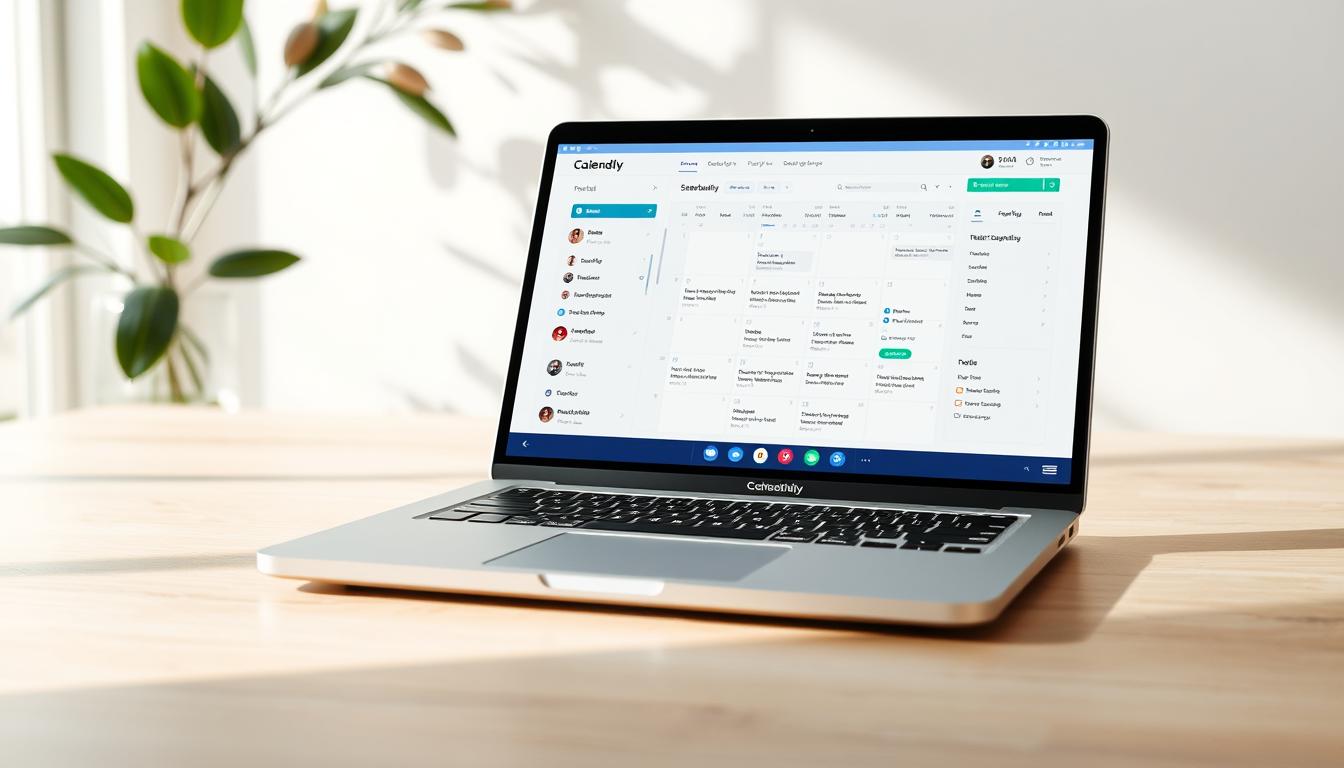
Calendly syncs with Google, Outlook, Office 365, and iCloud so my calendar stays accurate across devices. Automated workflows handle pre- and post-meeting emails and tasks, which saves setup time and keeps clients informed.
Round-robin and pooled availability let me distribute same-day meetings across a team without manual juggling. Integrations span 99+ tools, tying CRM, video, and payment steps into a single flow that reduces follow-up work.
The free plan works for one user. Premium starts at $10/month; Pro at $15/user/month adds SMS and direct payment connections—key features for lowering no-shows and collecting deposits.
Enterprise tiers bring admin controls, SSO, and reporting for larger orgs. I measure faster speed-to-meeting and better attendance after enabling Calendly automations, which proves the pricing and plans pay off when users need reliability and advanced features.
Zoho Bookings: solid choice if my contacts live in Zoho CRM
When my contacts live inside Zoho CRM, Zoho Bookings becomes my go-to for fast, integrated appointments.
I like that the free plan gets me started with one user, email alerts, and two-way calendar sync. That means bookings show up where I work without extra steps.
The Basic tier at $8/user/month adds layout and color customization. Premium at $12/user/month unlocks online payments, native CRM sync, three workspaces, and a custom domain. Those features make the app feel production-ready for a small team.
Group bookings and recurring appointments handle classes and follow-ups easily. I map meeting types to pipelines so booking data updates deals and keeps reporting clean across my team.
CRM integrations cut manual entry and keep records accurate. I test Stripe, PayPal, and Authorize.Net in live and test modes before going live so payment flows are solid.
Overall, the per-user pricing is straightforward and the options give solid value at Premium. If your contacts live in Zoho, this tool ties bookings, payments, and CRM data into a tidy workflow.
Other notable tools worth a look
I like to shortlist niche tools that pack targeted features without heavy overhead. Below are options I test when a mainstream app doesn’t quite fit.
Quick hits: who’s who and what they offer
Square Appointments pairs bookings with Square payments and automated reminders. It has a free tier and paid plans from $50/month, which makes it strong for multi-location service businesses.
Acuity Scheduling (by Squarespace) starts at $15/month. I use it when I need deep customization and branded booking flows that feel polished.
Appointlet keeps things simple with link-based booking. There’s a free plan and paid options from $10/month—great for teams that want a no-friction setup.
How I evaluate these options
I check the interface clarity, payment options, and reminder controls first. Then I weigh pricing by month against actual users and expected bookings.
These tools also offer unique touches—language support, CRM widgets, or regional integrations—so I match features to the business need. I also take a look at regional availability, hidden fees, and support response times as tie-breakers.
Appointment scheduling vs. employee scheduling: different jobs, different tools
I treat bookings and employee shifts as two different jobs that need different tools. Appointment booking is about customers finding and locking time. Employee rostering is about assigning staff, tracking hours, and keeping labor compliant.
When I reach for Connecteam, Homebase, Deputy, and similar apps
I reach for Connecteam or Homebase when I need shift templates, PTO tracking, and time clocks. These apps add GPS/geofencing and auto-scheduling so teams hit the right location at the right time.
Connecteam’s free plan covers up to 10 users, which is perfect to pilot shift tracking. Paid tiers start around $29/month for 30 users and add payroll integrations and compliance features.
Deputy, QuickBooks Time, ClockShark, and Sling give deeper reporting, labor cost controls, and payroll sync. Those features help me budget hours and meet local labor rules without guesswork.
I don’t force appointment tools to handle shift rosters; that creates friction. Instead, I integrate bookings with staff calendars so customer slots and employee shifts never clash.
Keeping bookings and employee planning in the right lanes — or in one place when needed — makes ops smoother and reduces last-minute scrambling for managers.
My integration checklist: video, CRM, email, and payments in one place
I design integrations so a single booking creates a join link, a customer record, and a payment intent automatically.
Zoom/Google Meet links, CRM sync, and automated email follow-ups
I require automatic Zoom or Google Meet links so every confirmation includes join details. That prevents manual copy-paste and speeds first contact.
CRM sync with HubSpot or Zoho ensures contacts and meeting outcomes live beside deals. I check that team routing (round‑robin) records attribution for reporting and follow-up.
I prefer integrated payments via Stripe, PayPal, or Square so revenue is secured at booking. Automated email confirmations and post-meeting follow-ups are standard in Calendly, Setmore and Zoho Bookings Meetings.
Where native links are missing, I use webhooks or Zapier to close gaps. Finally, I validate data mapping in a sandbox pipeline before full rollout so the app, calendars, and CRM behave as expected.
How I roll out a new scheduling app in hours, not weeks
I start launches with a handful of template events and simple rules so I can accept same-day requests right away.
I build template events for my top services with set durations, buffers, and a same-day minimum notice. Templates make repeated bookings consistent and cut setup time.
Next I set availability rules that open a few near-term slots without overexposing my calendar. I add custom intake fields so confirmations include what I need to prepare fast.
Testing reminders, payments, and the mobile interface
I connect payments and run deposits/refunds end-to-end to avoid day-one surprises. Then I configure reminders: email at booking, a day before, and an hour before. I enable SMS only if my plan includes it.
I preview the mobile app and booking page to ensure the interface is smooth on phones. I test time zone detection with a colleague and confirm Zoom/Google Meet links attach to both calendars.
Measure friction and train users fast
I count the steps from link click to confirmed booking and remove any extra clicks. Finally, I roll out gradually and train users with short Loom clips and quick SOPs so adoption makes easy sense.
Conclusion
To finish strong: the right booking flow turns last‑minute demand into a regular win for my business.
I focus on a lean rollout, test free tiers from Calendly, Setmore, or Zoho, then upgrade for the specific features that move the needle—payments, SMS, and routing. Match each tool to the job: sales routing, branded service pages, group polls, or focus‑first calendars.
Don’t mix appointment booking and employee rostering; use Connecteam or Homebase for shifts. Prioritize integrations that cut busywork—calendars, video links, CRM, email, and payments—so my team spends time on customers, not data entry.
I measure speed‑to‑meeting, attendance, and conversion, then tweak forms, buffers, and reminders. With a smart scheduling app and a tight setup, same‑day requests become delighted customers at scale.
See how FieldAx can transform your Field Operations.
Try it today! Book Demo
You are one click away from your customized FieldAx Demo
FAQ
How quickly can I set up an app to accept same-day bookings?
I can usually have a basic booking page live in under an hour using a free plan from tools like Calendly or Setmore. I start with template events, connect my Google or Outlook calendar, set available hours for the day, and enable instant confirmations so customers can pick same-day slots right away.
Do free plans actually let me take payments or require an upgrade?
Many free plans restrict payments and deposits. For example, Calendly’s free tier focuses on basic bookings while Square Appointments and SimplyBook.me offer limited payment features on free plans. If I need card capture or deposits to hold same-day slots, I usually move to a low-cost paid plan or integrate with Stripe or Square.
What features matter most for delivering same-day service?
I prioritize two-way calendar sync (Google, Outlook, iCloud, Office 365), instant confirmations, SMS and email reminders, and time zone detection. Payments, buffer rules, and mobile app access are next on my list to reduce no-shows and secure bookings fast.
How do pricing models typically work — per user or per month?
Pricing varies. Some vendors charge per user/month, others offer flat team plans. I compare the cost-per-user, included features, and limits on calendars or appointments to see where upgrading makes sense as my small business grows.
Can I route leads to sales reps or use round-robin assignments?
Yes — paid plans often include round-robin and lead routing. Tools like HubSpot Meeting Scheduler and OnceHub shine here. I enable pooled availability and routing rules when multiple team members handle incoming requests.
What limits should I expect on free tiers?
Free tiers typically limit the number of users, calendars, event types, or months of reminders. I check caps on users and integrations and whether the vendor restricts SMS notifications or custom branding before committing.
How do I reduce no-shows for same-day appointments?
I use instant confirmations, automated SMS and email reminders, and require a short buffer before appointments. Taking a small deposit or card-on-file through Stripe or Square also reduces no-shows significantly.
Which tools integrate best with my CRM and video calls?
For CRM and video links I look at HubSpot and Zoho Bookings Meetings. They sync contacts, add Google Meet or Zoom links automatically, and push booking data back to the CRM so follow-ups and automated email sequences work smoothly.
Is there a mobile app that makes managing same-day bookings easy?
Yes. Setmore, Square Appointments, and Calendly have mobile apps that let me view bookings, accept walk-ins, and update availability on the go. I test mobile reminder flows and payment capture in the app before relying on it for live service days.
When should I upgrade from a free plan to a paid plan?
I upgrade when I hit limits on users or calendars, need round-robin or pooled availability, require SMS reminders or white-label pages, or when payment capture and advanced reporting become essential. The cost usually pays for itself by reducing no-shows and saving scheduling time.
How do I choose between tools for sales versus client service?
For sales and lead routing I prefer HubSpot Meeting Scheduler or OnceHub because of CRM depth and automation. For client service and appointments I lean toward SimplyBook.me, Setmore, or Square Appointments for booking sites, memberships, and local payments.
Can I support group events and polls with the same tool?
Doodle and YouCanBookMe handle group polls and collective availability well. Some all-in-one platforms add group booking features on higher tiers; I pick a tool based on how often I run workshops or cohort sessions.
What should I test before launching a new booking flow?
I test template events, buffer times, reminder sequences, payment flows, and mobile usability. I also simulate different time zones and run a few live bookings to confirm confirmations, calendar sync, and CRM integrations work as expected.
Are branded booking pages and membership tools worth it for small businesses?
Yes — branded pages and memberships on platforms like SimplyBook.me help me look professional and retain repeat customers. If I need deposits, package sales, or recurring bookings, those advanced features justify the upgrade fast.