
Nearly 30% of employees now work fully remote or hybrid, and that shift has rewritten how I run field support.
I wrote this practical buyer’s guide so I can pick the right Tools for On-Site Service Calls without wasting time or budget. I focus on what truly improves customer service and field execution today.
Modern cloud contact center (CCaaS) platforms give agents desktop softphones, mobile apps, virtual numbers, and automatic failover. These features let my team help customers from anywhere and keep contact steady during outages.
In the sections ahead I’ll map core building blocks: hardware, connectivity, CCaaS features, CRM integration, field management, and analytics. My aim is a tech stack that helps agents, saves time, boosts customer experience, and scales with the business.

Key Takeaways
- I’ll prioritize platforms that keep customer interactions consistent across devices and locations.
- Critical features include IVR, recording with sentiment analysis, callbacks, dashboards, and WFM.
- I’ll use analytics to turn real-time signals into better coaching and performance gains.
- Resilience, QoS, and security protect customers and ensure uninterrupted contact.
- The right stack reduces handle time, improves first-call resolution, and lifts customer satisfaction.
Why I’m Updating My On-Site Service Stack Now
I’m updating my stack because customer expectations and hybrid teams pushed me to modernize how my team handles support. Nearly 30% of employees now work remote or hybrid, and customers expect consistent customer service no matter where an agent sits.
Omnichannel helpdesk features let me unify phone, email, chat, SMS, and social into a single view. That unified view preserves context and improves customer experience while reducing repeat work.
I need reliable desktop and mobile software so agents can pick up where a customer left off. Cloud contact center apps give softphones, virtual numbers, and failover that keep conversations live when networks fail.
Analytics matter most to me; I want metrics that show where workflows break so I can tune operations early. Better management data stops small problems from growing and helps coaching stay focused.
Ultimately, I’m choosing tools that boost efficiency and productivity across teams. My goal is a scalable stack that grows with the business and keeps customers calm during peak volume.
How I Define Success: Customer Experience, Efficiency, and Cost Control
Success, to me, is balancing excellent customer experience with tight operational control. I focus on clear metrics that show whether customers get fast, accurate help and whether my team spends time on value work.
I measure customer satisfaction with CSAT surveys sent by email and SMS. Those signals feed real-time alerts so I can recover poor experiences quickly and protect customer lifetime value.
Call analytics dashboards show call volume, AHT, and FCR. Predictive analytics and WFM forecasts help me set staffing to match demand; WFM can cut overtime costs up to 20% and raise productivity 20–30%.
I use customer data and a unified view to speed first-call resolution and reduce repeat effort. Lowering after-call work through automation and better scripting shrinks handle time without hurting satisfaction.
Finally, I weigh every new tool by impact. If a piece of software or feature doesn’t move key KPIs, it’s not a priority. I review trends monthly, align agent scorecards to these targets, and use analytics to guide coaching and quick fixes.
Must‑Have Hardware for Field and On‑Site Teams
I equip my field teams with hardware that keeps conversations clear and work steady, even under pressure. Good gear reduces retries, saves time, and protects the customer experience.
Headsets that reduce noise and fatigue
I pick headsets by daily comfort and audio stability. Wired options give reliable connections and value, while Premium wireless headsets with active noise cancellation and all-day comfort.
I layer AI-based noise suppression to keep conversations clear in noisy environments when background noise spikes to keep the customer’s voice clear during long shifts.
Computers and softphones tuned for VoIP
My baseline is Intel i5 or Ryzen 5, 8–16 GB RAM, SSD, and Gigabit Ethernet or Wi‑Fi 6. That combo prevents freezes and keeps softphone software responsive for multitasking and high productivity.
IP phones, bandwidth, and ergonomics
I keep enterprise-grade IP phones as fallbacks when a PC fails when a PC fails. Plan ~100 kbps per concurrent call, add QoS and SD‑WAN failover to protect call quality during outages.
I also invest in adjustable chairs, sit‑stand desks, and acoustic panels so agents stay comfortable and communication quality stays high over long times.
Core Software for Managing On‑Site Service Calls
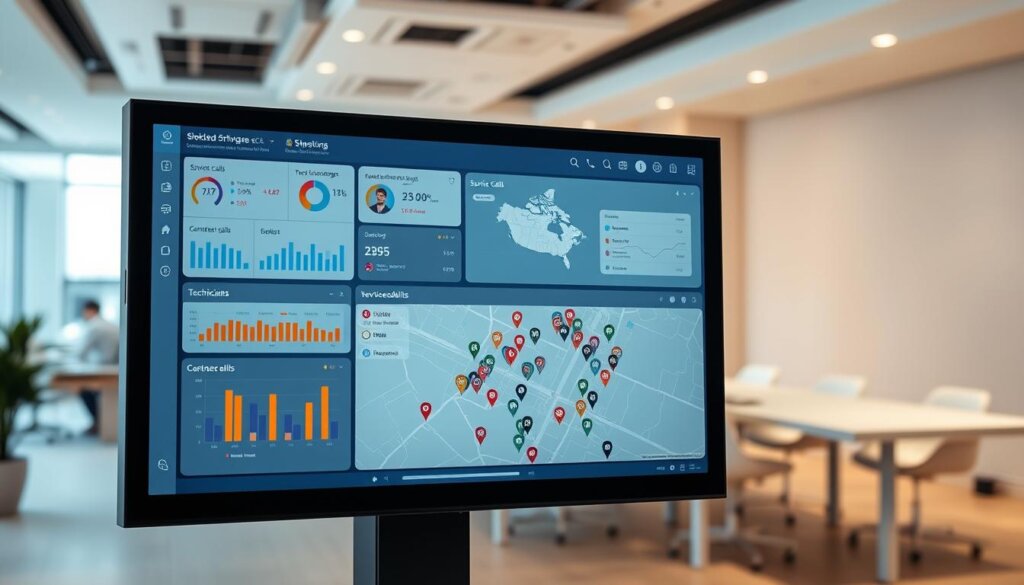
I choose platforms that tie scheduling, work orders, inventory, and routing into one place. Good field management software reduces travel, keeps customer information synced, and speeds payment.
Scheduling and dispatching with mobile access
I want scheduling that assigns the right technician at the right time and gives mobile access for live updates. Mobile apps let techs change statuses, upload photos, and keep communication clear with dispatch.
Work order management from job creation to payment
Robust work order workflows track jobs from creation through billing and record signatures. Offline access is key so agents can complete forms and access manuals even without signal.
Inventory, routing, and travel zones to minimize time on the road
Inventory and routing features cut wasted trips by using travel zones and route optimization. I also expect analytics on job duration and repeat visits so I can improve operations with real data.
I prioritize platforms with CRM and accounting integration, role‑based access, and exception handling for cancellations, parts shortages, or reschedules. That keeps teams tight and customers calm.
Tools for On-Site Service Calls: The Essential Contact Center Layer
I prioritize contact systems that authenticate callers quickly and get them to the right expert without wasted steps. This layer is where phone entry, verification, and queue logic meet to protect customer satisfaction and speed resolution.
Interactive Voice Response to authenticate and triage fast
I implement conversational IVR that uses NLP to detect intent, verify identity, and answer routine questions. When the IVR resolves the issue, customers get instant help and agents avoid repetitive work.
Automatic Call Distribution with skills‑based and priority routing
My ACD matches callers to the best agent by skills and priority. VIPs and warranty issues move to priority queues so high‑value customers reach specialists fast.
I rely on proven enterprise-grade contact center platforms that support IVR, skills-based routing, and high availability.
Call queues with estimated wait times and callback options
Queues show dynamic wait times and offer callbacks to cut abandonment and keep the phone experience human. I align IVR intents with KB answers and field workflows so handoffs to dispatch are seamless.
I monitor analytics and tweak menus, intents, and routing rules. I also use screen pops with IVR data so agents know who is calling and why before they say hello.
Customer Data and Context: CRM + Helpdesk Integration
I want every interaction to start with context, not a chain of questions. When an agent answers, a unified view should show orders, recent tickets, and survey notes so the conversation is personal and fast.
Screen pops and a full customer view
I connect my contact center to CRM and helpdesk so agents get screen pops at answer with history and key identifiers. This reduces repeats and gives agents instant access to the right information.
I map fields between systems so names, assets, and warranty details match. That cuts errors and saves time on follow ups.
Omnichannel inbox to unify interactions
I use a single inbox to bring phone, email, chat, SMS, and social into one queue. Agents work in one workspace and customers get a consistent experience across channels.
Helpdesk routing and knowledge bases handle common requests and push complex items to dispatch. I monitor integration health, secure access by role, and run CRM reports to update content and IVR intents.
- I surface orders, tickets, and surveys in screen pops so agents personalize replies.
- I keep records synced both ways so customers see accurate status in portals.
- I train agents to rely on the unified workspace to shorten handle time.
AI and Automation I Actually Use in the Field
I rely on pragmatic AI that cuts repetitive work and keeps technicians focused on what matters. Conversational agents handle routine requests 24/7 and escalate with full context when a human is needed.
Conversational AI and chatbots
Chatbots answer FAQs, schedule visits, and check order status without wait. When escalation is required, they send transcripts and tags to my CRM so an agent picks up with context.
Real‑time agent assist and dynamic scripting
Real‑time assist suggests next‑best actions and compliance alerts while agents talk. Dynamic scripts adapt to the customer’s path, keeping conversations natural and consistent.
Speech and sentiment analytics
I use speech analytics to score 100% of interactions and surface coaching moments I would otherwise miss. Sentiment signals help prioritize urgent issues and boost overall satisfaction.
Data matters: the call center AI market hit $3.23B in 2024 and is forecast to grow dramatically. AI raises agent productivity by about 14% and can cut operations costs up to 40% when applied sensibly.
I tie AI workflows into helpdesk and CRM, use AI summaries to reduce after‑call work, and set clear guardrails so automation improves performance without hurting relationships.
Workforce Management to Right‑Size Staffing and Schedules
Accurate forecasting lets me staff the right people at the right times to protect service levels. I use historical analytics and seasonality data to predict peaks and avoid surprise overloads.
I rely on modern workforce management (WFM) software with forecasting, adherence tracking, and self-service scheduling . Core features I use include shift bidding, real‑time adjustments, schedule adherence, state management, and automated alerts.
Forecasting demand, optimizing shifts, and adherence
I forecast volumes so I can right‑size staffing and cut overtime up to 20%. I design shifts and break patterns to match demand while respecting agent preferences. That mix improves adherence and raises productivity by 20–30%.
Self‑service scheduling and impact on productivity
Self‑service scheduling and shift swaps reduce admin work for supervisors and boost engagement. I integrate WFM with my contact center platform so presence, queues, and schedules stay in sync.
I monitor real‑time adherence and run exception reports to catch gaps before service drops. I also build contingency plans — flexible pools, overflow routing, and automated alerts — so customers notice steady performance even during spikes.
I train agents on clear adherence goals, track the impact on productivity, and repeat what works. This keeps operations predictable and helps businesses scale without hurting customer experience.
Quality, Compliance, and Security I Can Trust
I treat recording, redaction, and audit trails as core assets that protect customers and the business. Clear records back coaching, resolve disputes, and power ongoing quality improvement.
Call recording, transcription, and emotion detection
I record and transcribe calls to build a single source of truth for training and monitoring. Emotion detection and keyword analytics flag at‑risk interactions so I can coach fast and reduce repeat incidents.
PCI/HIPAA safeguards, voice biometrics, and audit trails
I pause recordings during payments and apply HIPAA controls where required. Voice biometrics speed authentication and cut fraud without extra friction for returning customers.
I keep detailed audit trails that show who accessed what, when, and why. I encrypt data in transit and at rest and test redaction and retention policies to meet legal needs.
I weigh compliance against usability — security only works when agents follow it daily. Better monitoring and quality systems lower breach risks and can avert multi‑million dollar costs, protecting trust and long‑term performance.
Dashboards, Wallboards, and Reporting for Real‑Time Decisions
When dashboards show the right KPIs, I can shift staff and priorities in minutes rather than hours. Real‑time visibility keeps my agents focused on outcomes and prevents small issues from becoming big problems.
Live KPIs: call volume, AHT, FCR, CSAT
I rely on live dashboards to monitor call volume, AHT, FCR, and CSAT so I can make fast adjustments during the day. CSAT feeds trigger alerts when scores dip, which lets me recover at‑risk customer relationships quickly.
Historical analytics for capacity planning and coaching
Historical analytics let me plan capacity and coach agents with concrete evidence. I use enterprise business intelligence tools and native analytics dashboards to track trends, benchmark teams, and identify coaching moments.
Predictive analytics from Calabrio and other platforms forecast surges and staffing needs so schedules stay balanced and time on task improves.
Motivation with leaderboards and goal visibility
Live wallboards and performance leaderboards make goals visible and motivate teams. I show role‑specific views so supervisors see operational detail and agents see clear, achievable targets.
I prioritize insights that drive action—if a metric does not change a decision, it gets removed from the frontline view. Standardized definitions and reliable refresh rates keep monitoring useful and trusted.
My rule: dashboards must be simple, accurate, and tailored. When data is trusted, reporting becomes a lever for better performance and smarter management.
Buyer’s Checklist: Features, Integrations, and Platform Fit
Before I sign a contract, I run a tight checklist to confirm a platform matches our operational needs.
Evaluation by use case: inbound, outbound, and on‑site
I score platforms by real workflows: inbound routing, outbound dialing, and field management. I validate IVR, ACD, skill routing, callbacks, and FSM features against daily tasks.
Integrations with CRM, payroll, accounting, and APIs
Most leading platforms offer pre-built connectors to popular CRM and helpdesk systems, along with open APIs. I require CRM, payroll, and accounting integration so customer data and billing flow without manual exports.
Remote/hybrid readiness: desktop, mobile, VDI, and continuity
I check desktop apps, mobile access, and VDI support. Cloud deployments let me spin up environments in days or weeks. I also test automatic failover, load performance, and predictive dialer compliance if sales teams share the platform.
My rule: demand a proof of concept, map total cost of ownership, and validate training plans so adoption protects customer experience and productivity.
Budgeting and ROI: What I Prioritize When Comparing Options
My budgeting begins with clear ROI targets tied to fewer repeat visits, shorter handle times, and higher first‑call resolution. I model savings as direct reductions in costs and better outcomes for the customer.
I quantify gains from WFM and automation: WFM can cut overtime up to 20% and lift productivity 20–30%, and AI often boosts agent productivity by ~14% while trimming operations costs as much as 40%. I also value cloud CCaaS speed—deployments in days or weeks reduce hardware and IT burdens.
I include recurring costs like training, support, and admin time since a hard-to-manage platform raises total costs quickly. I count compliance risk reduction in ROI; stronger controls can avert fines and protect reputation.
I use analytics to validate improvements after launch, comparing baselines to new performance and service outcomes. I factor revenue impacts when sales and support share a platform, and I budget for change management so agents adopt new workflows fast.
Bottom line: I choose options that meet my needs today, scale predictably, and keep licensing simple so finance and operations stay aligned.

What’s Next: Proactive Service, Agentic AI, and AR Assistance
I want to spot trouble before a customer calls and let my team focus on meaningful help. Proactive support uses IoT signals and analytics to detect anomalies and trigger predictive workflows that fix issues automatically or warn customers early.
Proactive support using IoT signals and predictive workflows
I’m exploring systems that listen to device telemetry, raise alerts, and open tickets when trends predict failure. That routing logic blends automated remediation with human outreach when cases look sensitive.
Agentic AI to automate multi‑step tasks behind the scenes
Agentic AI acts like a back‑office teammate. It retrieves orders, checks inventory, prints return labels, and sends confirmations so agents stay present with the customer.
AR guidance to boost first‑call resolution and cut site visits
AR lets customers show the problem via phone and follow visual steps. Trials show AR can lift first‑call resolution up to 35% and reduce on‑site visits. I measure impact on satisfaction and time to resolve before scaling.
Conclusion
In closing, the right mix of hardware, software, and process makes everyday support feel effortless.
I recap the core layers I used: hardware, connectivity, contact center, CRM/helpdesk, field management, WFM, AI, QA, and reporting. These layers helped me streamline on-site work and improve phone coordination.
My buyer’s lens stayed simple: improve customer satisfaction, cut time to resolution, and make agents more effective. Cloud software sped deployment and gave access for hybrid teams without heavy IT overhead.
I value callbacks, dynamic routing, real‑time dashboards, and recording with analytics to protect quality and compliance. Training and clear change management kept adoption high.
I shortlist vendors that meet my compliance needs and integrate cleanly, then pilot top options with real scenarios. I review metrics quarterly so the stack keeps pace with evolving customer needs and business goals.
I’m confident: with the right tools and process, I can deliver reliable customer service that feels effortless to customers and teams.
See how FieldAx can transform your Field Operations.
Try it today! Book Demo
You are one click away from your customized FieldAx Demo!
FAQ
Why am I updating my on-site service stack now?
I’m updating my stack because customer expectations and field operations have changed. Faster response, real-time data, and tighter integration between dispatch, CRM, and contact platforms reduce wait times and boost first-call resolution. Modernizing helps me cut operational costs and improve agent productivity while giving customers a smoother experience.
How do I measure success for on-site support?
I track customer satisfaction, average wait times, and first-call resolution as primary CX metrics. For operations, I monitor agent productivity, after-call work, and total operational costs. Together these KPIs show whether I’m improving service quality and efficiency.
What hardware should my field teams have?
I prioritize comfortable headsets with ANC to reduce noise and fatigue, reliable laptops or tablets configured for VoIP and multitasking, and IP phones as fallbacks. I also ensure robust internet with QoS and SD‑WAN failover, plus ergonomic setups and acoustic treatments where agents work.
Which core software functions do I need to manage on-site jobs?
I use scheduling and dispatch tools with mobile access, a work order system covering job creation through payment, and inventory plus routing features that cut travel time. These elements keep teams efficient and customers informed.
What should the contact center layer include?
I look for IVR that authenticates and triages callers quickly, Automatic Call Distribution with skills‑based routing, and queues offering estimated wait times and callback. These features reduce friction and route issues to the right agent faster.
How do I get useful customer context into calls?
I integrate CRM and helpdesk so agents receive screen pops and a synchronized customer view. An omnichannel inbox that unifies phone, email, chat, SMS, and social ensures history and context travel with every interaction.
Which AI and automation capabilities do I actually use in the field?
I deploy conversational AI and chatbots for routine queries, real‑time agent assist with dynamic scripting, and speech and sentiment analytics for coaching and quality monitoring. These reduce handling time and improve consistency.
How does workforce management help my staffing?
Forecasting demand and optimizing shifts helps me right‑size coverage and improve adherence. I also use self‑service scheduling to boost morale and reduce shrinkage, which raises productivity without inflating headcount.
What compliance and security measures do I require?
I enforce call recording and transcription with emotion detection for quality, and I implement PCI and HIPAA safeguards where needed. Voice biometrics and complete audit trails help me meet regulatory and security standards.
What reporting and dashboards should I expect?
I rely on live KPIs like call volume, AHT, FCR, and CSAT for real‑time decisions, plus historical analytics for capacity planning and coaching. Wallboards and leaderboards keep teams motivated and aligned with goals.
How do I evaluate platforms and integrations?
I assess platforms by use case— inbound, outbound, and field service— and check integrations with CRM, payroll, accounting, and open APIs. Remote and hybrid readiness for desktop, mobile, VDI, and continuity are must‑haves.
What do I prioritize when budgeting and calculating ROI?
I prioritize features that reduce repeat visits, lower travel time, and improve first‑time fixes. I quantify savings from improved routing, reduced AHT, and higher CSAT to compare total cost of ownership and potential ROI.
What emerging capabilities am I preparing for?
I’m planning for proactive service driven by IoT signals, agentic AI that automates multi‑step tasks, and AR guidance to support first‑call resolution and cut site visits. These trends promise better outcomes and lower costs.