
Did you know the average field service manager spends over three hours a day just on the phone checking job statuses? I was one of those managers. My days were a blur of frantic calls, trying to figure out where my team was and what they were doing.
I felt completely disconnected from the field. This constant back-and-forth was a massive drain on my productivity and my sanity. I knew there had to be a better way to manage my technicians without micromanaging them.
That’s when I discovered automated time tracking solutions. This technology completely transformed my operations. It gave me a clear, live view of every single job. The endless phone calls stopped almost overnight.
In this article, I’ll walk you through my personal journey. I’ll show you how this modern approach to tracking field work can save you countless hours. You’ll learn practical steps to gain peace of mind and boost your team’s efficiency.
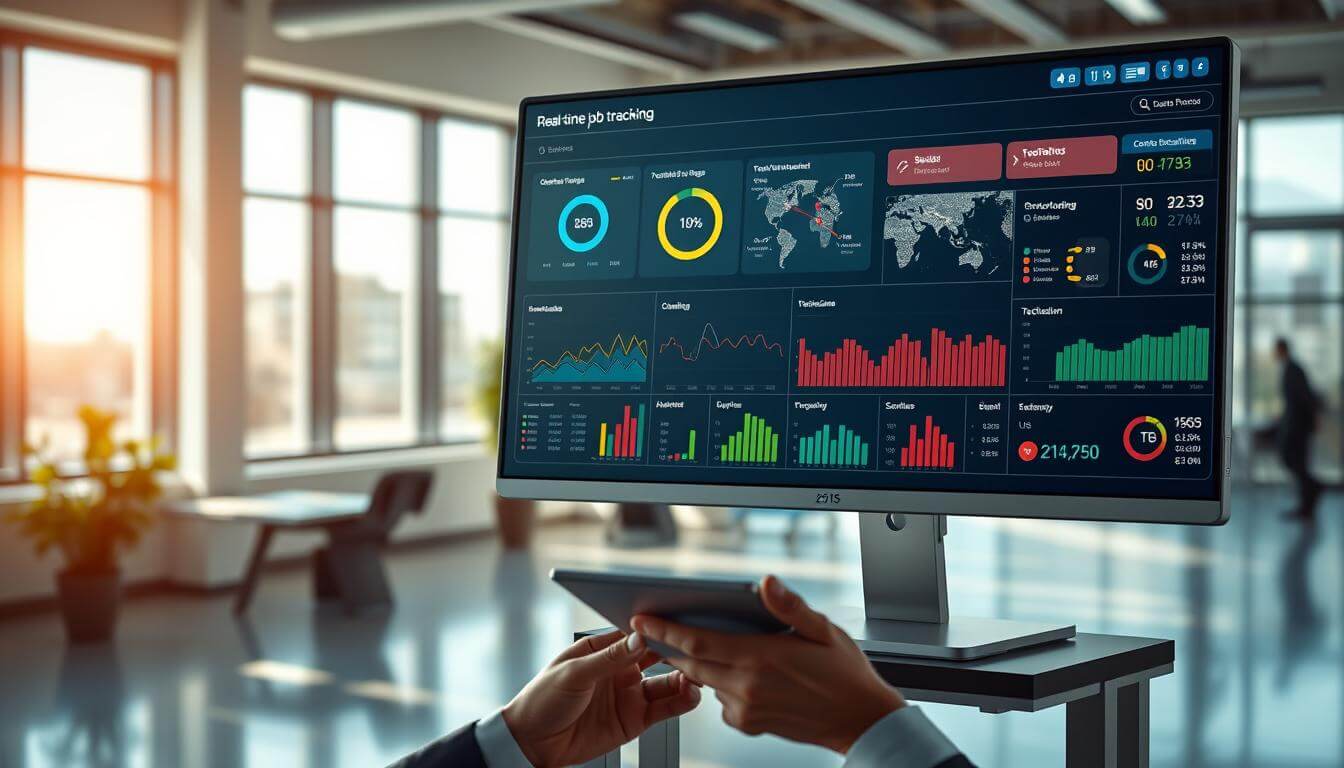
Key Takeaways
- Eliminate constant status-checking calls that consume hours each day.
- Gain instant, live visibility into your team’s activities and progress.
- Improve customer satisfaction with accurate arrival and completion estimates.
- Reduce operational costs by optimizing routes and technician schedules.
- Empower your field team with more autonomy and less micromanagement.
- Implement practical, automated solutions that deliver immediate results.
- Transform your service business with a modern, efficient management system.
Introduction to Real-Time Job Tracking
The endless cycle of chasing updates left me feeling more like a switchboard operator than a manager. My days were consumed by a frustrating routine of calls that disrupted my team’s workflow and my own focus.
My personal experience with constant update calls
I dedicated at least two hours daily to calling my technicians. Asking “Where are you?” and “How much longer?” became my mantra. This approach not only irritated me but also made my team feel micromanaged.
This method created a toxic loop. Technicians, busy working, would avoid my calls. Their silence would spike my anxiety, leading me to call even more. I vividly recall one stressful week with five people in the field and zero visibility. I knew an immediate change was crucial.
Why switching to real-time tracking changed everything
The shift began with a simple revelation. I could finally see status, locations, and progress on one screen. I didn’t need to pick up the phone.
The right tracking software did more than stop my calls. It empowered my employee team. They took ownership of their schedules and updated statuses themselves. This fostered a culture of trust and proactive communication.
The change was profound. Customers got accurate estimates, and I reclaimed nearly ten hours a week. I could finally focus on strategic growth instead of daily chaos.
The Rise of Real Time Job Tracking Solutions
Looking back at my early days in field service management, the transformation in how we monitor work has been incredible. The industry has completely reinvented itself through technological advances.
Evolution from manual updates to automated tracking
I remember starting with paper timesheets and endless phone calls. My team would manually log hours while I struggled to piece together their progress. This method felt outdated even then.
The smartphone revolution changed everything. Suddenly, every technician carried a powerful computer in their pocket. Basic GPS applications gave way to sophisticated platforms.
Modern software solutions combine multiple features that used to require separate systems. Everything lives in one integrated application now. The evolution represents more than just technological progress.
Today’s tools help determine labor costs automatically. They monitor compliance and provide instant visibility. This shift has moved service businesses from reactive management to proactive optimization.
What excites me most is how user-friendly these automated systems have become. Employees can focus on their work rather than complicated interfaces. The right mobile app makes all the difference.
Understanding the Need for Real Time Job Tracking
What finally opened my eyes was seeing my most efficient technicians visibly frustrated by my constant interruptions. They took pride in managing their own schedules, and my calls signaled a lack of trust that hurt morale.
Identifying inefficiencies in traditional update methods
I discovered that each status call cost about 5-7 minutes of productive work time. When multiplied across multiple daily interruptions, this added up to significant lost hours every week. The constant stopping and starting disrupted their flow completely.
My office staff faced their own challenges. They spent considerable time fielding customer calls asking about arrival estimates. We simply didn’t have accurate information to share, which damaged our credibility.
The documentation problems became apparent when we couldn’t resolve billing disputes. Verbal updates rarely got recorded properly, making it impossible to analyze performance trends or identify training needs.
Understanding the need for better management tools helped me see that visibility isn’t just about locations. It’s about optimizing resource allocation and preventing bottlenecks. This approach ensures every assignment gets completed efficiently.
My best employee team members actually appreciated the shift to automated systems. They could focus on their core responsibilities without constant interruptions. This change improved both productivity and job satisfaction across the organization.
Comparing Real-Time Tracking vs. Traditional Technician Calls
Comparing my old phone-based system with modern digital solutions revealed staggering efficiency gaps I never anticipated. The difference went far beyond just saving minutes on calls.
Efficiency and cost savings
When I calculated the numbers, the savings shocked me. Eliminating just 15 minutes of daily phone calls per technician saved my five-person team 375 hours annually. That translated to roughly $7,500 in recovered labor costs.
The benefits extended beyond simple time recovery. I could identify which technicians consistently completed assignments faster. I also spotted workflow bottlenecks that phone conversations never revealed.
Transparency in workflow management
Digital monitoring provides clarity that phone calls simply cannot match. Everyone sees the same information simultaneously, eliminating the “telephone game” where details get distorted.
When customers call for updates, my office staff can instantly see technician locations and status. There’s no need to interrupt anyone’s work or play phone tag. This transparency improved our customer satisfaction dramatically.
My team’s productivity increased significantly because they spent less time on calls and more time working. They could also see their own performance metrics, which naturally motivated them to improve efficiency.
real time job tracking: Key Features You Can’t Ignore
After testing various platforms, I discovered that a handful of core components separate effective tools from mediocre ones. The right system transforms how you manage field operations.
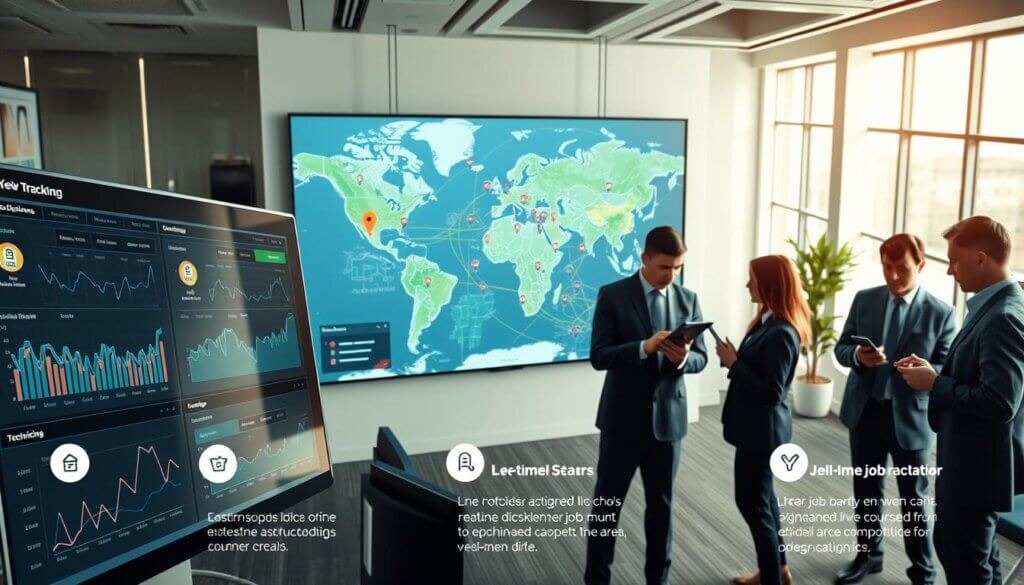
These essential features work together to create a seamless workflow. They eliminate guesswork and provide clear visibility into daily operations.
Task Assignment and Scheduling Capabilities
Robust task management allows me to create assignments quickly. I can match technicians based on skills and location proximity.
The scheduling features save me significant time each morning. Auto-scheduling suggests optimal assignments that maximize efficiency.
GPS and Mobile-Friendly Interfaces
Accurate location tracking through GPS technology is indispensable. It helps me dispatch the closest technician for emergency calls.
A responsive mobile app ensures my team can access information anywhere. The interface works smoothly on all devices, even with limited connectivity.
These mobile features empower technicians to update statuses instantly. They capture digital signatures and photos directly from customer sites.
Analyzing Top Time Tracking Software Options
When I started comparing the top players in the time tracking market, I discovered pricing structures vary dramatically. My three years of testing different platforms revealed that the best choice depends on your specific operational needs.
Insights from various industry-leading tools
I evaluated each solution based on five key criteria. Ease of use for field workers and reliable GPS functionality were my top priorities. Reporting capabilities and mobile app quality also played crucial roles in my assessment.
Connecteam emerged as my favorite all-in-one tracking software. It offers comprehensive features starting at just $29 per month for 30 users. This breaks down to less than $1 per user monthly.
Comparison of core functionalities and pricing
Toggl Track excels for office teams but costs $10 per user month. Apploye provides similar core features at just $4.50 per user month. Both tools offer robust time tracking capabilities.
Harvest stands out with its user-friendly interface and built-in invoicing. Clockify offers completely free options for budget-conscious businesses. Each software solution brings unique strengths to different operational scenarios.
The right tools depend entirely on your team size and workflow requirements. Field service operations need different features than office-based projects. Careful comparison ensures you select the perfect fit.
Project Management and Time Tracking Integration
The moment I realized my project management and time tracking systems were working against each other was a true turning point. I had good tools for each function, but they operated in complete isolation.
This separation created constant friction. My team wasted precious minutes switching between applications throughout their day. The administrative overhead was draining our collective energy.
How combining task management with tracking boosts productivity
When I integrated these systems, the transformation was immediate. My technicians could now see their assigned task management responsibilities right alongside their tracking interface. Everything lived in one seamless platform.
The productivity gains surprised even me. Context-switching disappeared completely. Team members stayed focused on their work instead of navigating multiple applications.
I gained unprecedented visibility into our project performance. Historical data helped me create more accurate estimates for future work. Budget monitoring became automatic rather than manual.
The integration improved our management capabilities dramatically. I could instantly see workload distribution across the team. This allowed me to redistribute tasks before anyone became overwhelmed.
Our time tracking data now informs our project management decisions directly. The synergy between planning and execution has become our greatest advantage for sustained growth.
Automated vs. Manual Time Tracking: What Works Best?
After years of experimenting with different methods, I’ve come to appreciate that there’s no one-size-fits-all solution for recording work activities. The choice between automated and manual approaches depends heavily on your team’s workflow and personal preferences.
When I tested various automated tracking tools like Memtime and Timeular, I discovered some compelling advantages. These systems work quietly in the background, capturing every minute spent on different applications.
Pros and cons of automated tracking tools
The biggest benefit of automated systems is they eliminate the “forgot to start the timer” problem. You capture 100% of billable hours instead of losing valuable minutes to memory lapses.
However, I also encountered significant drawbacks. Some team members expressed privacy concerns about software monitoring their activity. Even with local data storage, the feeling of being watched can affect morale.
Manual time tracking offers more control and autonomy. Workers consciously decide when to record their activities and can add detailed notes as they go. This approach often provides richer context than automated systems.
I’ve found that a hybrid model works best for my field service business. Technicians manually start timers when arriving at locations, while the app handles background monitoring. This balances convenience with personal control.
The practical reality is that automated tracking tools excel for desk-based workers, while manual methods with smart reminders suit field technicians better. The right choice depends on your specific operational needs.
Evaluating Mobile Apps for On-the-Go Job Tracking
Mobile accessibility became my top priority after watching technicians struggle with complicated interfaces during critical work moments. The right mobile app can make or break your entire field management system.
I learned that field workers need tools that work seamlessly in challenging conditions. They’re often wearing gloves, balancing on ladders, or dealing with poor weather.
Ease of use and responsiveness of mobile interfaces
The best mobile apps require minimal taps for common actions. Starting a timer should take one tap, while updating status needs just two taps maximum.
Responsiveness matters tremendously in mobile interfaces. Apps that load slowly create frustration that compounds throughout the day. Snappy apps that react instantly feel effortless to use.
I evaluate mobile apps based on how intuitive they are for technicians. The best ones don’t require extensive training. Workers should understand core features within minutes of downloading the app.
Thoughtful features like voice-to-text for notes and barcode scanning make a huge difference. Offline functionality is essential for areas with poor connectivity. Automatic syncing when service returns keeps everything current.
The mobile experience directly impacts adoption rates across your team. When the app works smoothly, technicians embrace it willingly. This transforms how you manage field operations effectively.
Benefits of Real-Time Visibility for Small Teams
Running a small service team felt like conducting an orchestra without being able to hear the music. I could assign tasks, but lacked visibility into how they were progressing. This changed dramatically when I implemented proper monitoring systems.
Streamlining workflows in a busy work environment
The transparency transformed how my small teams operated. Every employee understood their responsibilities clearly. Managers gained immediate insights into each assignment’s status.
This visibility helped me spot inefficiencies quickly. I could identify delays and resource misallocations before they became major problems. The system allowed me to fine-tune our processes continuously.
My team started functioning like a larger organization. Everyone could see what colleagues were working on. This reduced duplicate efforts and enabled spontaneous collaboration.
The workflow improvements were remarkable. I could rebalance workloads instantly when someone fell behind. Better resource allocation became my new superpower for management.
This approach helped us handle more assignments daily. We eliminated idle moments and optimized travel routes. The entire operation flowed smoothly with minimal intervention needed.
Cost and Pricing Considerations for Job Tracking Tools
Budgeting for field service management tools taught me that advertised prices rarely match actual costs. The sticker price often hides important details that impact your bottom line.
Understanding free versus premium plans
Several excellent platforms offer generous free tiers. Clockify provides unlimited users at no cost, while Toggl Track supports up to five people.
These free options include core functionality that might satisfy small operations. However, they typically limit advanced features like detailed reporting.
Premium solutions range from $4 to $15 per user each month. Connecteam offers creative pricing at $29 monthly for thirty employees.
Hidden costs to watch out for
Some vendors charge base fees beyond per-user pricing. Others bill separately for mobile access or require expensive onboarding packages.
I learned to ask specific questions about setup fees and support charges. Always calculate annual costs since that’s what truly impacts your budget.
Mid-tier plans around $5-7 per user monthly typically offer the best value. They provide essential features without enterprise capabilities you won’t use.
Reviewing Management and Reporting Features
What surprised me most about advanced reporting features was how they turned raw numbers into actionable business intelligence. I discovered that the right analytics could answer questions I didn’t even know to ask.
Analytics and reporting for better decision-making
The dashboard capabilities completely changed how I manage my team. I can now see weekly summaries and individual performance metrics at a glance.
These reporting tools break down hours by client, project, and technician. The visual charts make patterns immediately obvious without complex analysis.
I rely on analytics to identify our most profitable work types. The system highlights when estimates differ from actual completion times.
Custom reports combine time data with customer satisfaction scores. This gives me a complete picture of each project’s success.
The management features provide automated alerts for budget overruns. Weekly summaries arrive in my inbox without manual effort.
These reporting capabilities transform simple record-keeping into strategic planning. I can make informed decisions about resource allocation and future projects.
Integrating Time Tracking with Other Management Software
The real breakthrough in my efficiency journey came when I stopped treating my time tracking software as a standalone solution. I discovered that true productivity gains happen when different systems work together seamlessly.
My team was already comfortable with platforms like Asana and Trello for project management. Asking them to adopt a completely separate tracking system would have created unnecessary friction.
How tools like Asana, Trello, and ClickUp complement tracking apps
I found that browser extensions create magical workflows. Toggl Track’s extension places a timer button directly inside Asana tasks. Technicians can start time tracking with one click without switching applications.
This integration eliminates double data entry completely. Client details and task descriptions flow automatically from the management software into the tracking system. The accuracy improvement was immediate.
Tools like Everhour and Harvest understand they’re part of a larger ecosystem. They offer pre-built connections with dozens of business apps. This includes accounting platforms and communication tools.
The complementary relationship between these software solutions creates a powerful workflow. Planning happens in ClickUp, execution gets logged through time tracking apps, and analytics combine for complete project insights.
This approach lets me build a customized tech stack that fits my specific needs. The right tools working together have transformed how my team operates.
Real-World Applications: From Field Work to Office Projects
Across industries and team structures, I’ve witnessed how proper visibility systems transform how organizations function. The same tools deliver impressive results whether managing HVAC technicians or marketing teams.
Case studies and examples from my experience
One plumbing company reduced travel time by 23% using GPS-enabled monitoring. They routed technicians more efficiently based on current locations.
A marketing agency discovered they spent 40% of billable hours on internal meetings. This insight helped them restructure workflows for better profitability.
My HVAC business eliminated missed appointments by 78% with automated notifications. Customers received accurate arrival estimates that improved satisfaction.
Construction crews benefited from coordinated task completion visibility. Different trades could arrive exactly when needed, reducing expensive downtime.
These applications prove that visibility drives better decisions across all environments. Improved efficiency consistently increases profitability for every type of organization.
Tips for Choosing the Right Job Tracking Software
I’ve learned through trial and error that choosing the right digital management platform involves more than just comparing feature lists. The selection process requires understanding your specific operational needs and team dynamics.

Factors to consider before making a decision
Start by evaluating your team’s technical comfort level. The most advanced software means nothing if field workers struggle with complex interfaces during critical moments.
Create a checklist based on your actual pain points. If scheduling challenges dominate your day, prioritize auto-scheduling capabilities. For billing headaches, focus on invoicing integration.
Vendor support quality often gets overlooked until you need it. Read reviews about response times because when your system has issues, you need answers quickly.
Run a pilot program with a small group before company-wide rollout. This approach helps identify implementation challenges and ensures the tool solves your specific problems.
Don’t forget about data ownership and export capabilities. Confirm you can retrieve historical information if you switch providers later.
Calculate realistic ROI by comparing costs against time savings. If a platform saves administrative hours worth more than its monthly fee, the investment becomes obvious.
The Future of Job Tracking and Time Management Tools
Artificial intelligence is quietly revolutionizing how we approach productivity measurement. The innovations I’m seeing will make current systems feel primitive within just a few years.
These advancements go beyond simple automation. They’re creating intelligent partners that anticipate needs before we even recognize them.
Innovations on the horizon, including AI features
I’ve tested early AI capabilities that learn work patterns automatically. After observing my habits, the system accurately categorizes activities without manual input.
Machine learning algorithms now predict project assignments based on historical performance data. They consider factors like technician expertise and even weather conditions that might affect duration.
The most exciting features involve predictive analytics that forecast completion dates with remarkable accuracy. These tools alert managers about potential delays before they become problems.
How the industry is evolving
The evolution toward seamless integration continues accelerating. Future systems will become nearly invisible within natural workflows.
I envision AI-powered interfaces that generate invoices automatically based on monitored activity. They’ll create schedules that balance efficiency with employee wellbeing.
These tracking apps will use computer vision to analyze job site photos for progress assessment. Natural language processing will allow hands-free note dictation during work.
The industry’s direction points toward completely automated systems that maintain accuracy without constant manual intervention. This represents the next leap forward in workforce management technology.
Conclusion
My journey from constant phone calls to smooth operations shows what’s possible. I hope this guide gives you a clear path forward for your business.
If you’re ready to eliminate update calls, I suggest you get started today. Try free trials from tools that fit your needs. Test them with a small pilot team first.
The full transformation took my team about three weeks. The long-term benefits have been absolutely worth the adjustment period.
Remember, this approach isn’t about micromanagement. It’s about giving everyone the information they need to excel. This eliminates communication friction that wastes precious time.
Frame this change as a team improvement, not a surveillance tool. Involve your technicians in selecting the tracking software. Listen to their input about what makes their job easier.
This technology lets small businesses operate with big-company efficiency. I’m confident these tools can transform your operations too.
Take that first step now. Choose one tool, sign up for its free trial, and see how real-time visibility changes everything for the better.
See how FieldAx can transform your Field Operations.
Try it today! Book Demo
You are one click away from your customized FieldAx Demo!
FAQ
What exactly is real-time job tracking software?
It’s a management tool that lets me see exactly where my team is and what they’re working on, live. Instead of calling for updates, I can check a dashboard that shows task progress, hours spent, and even location data from a mobile app.
How does this kind of software help with project management?
For me, it’s a game-changer. It combines task assignment, scheduling, and time spent on projects into one system. This integration boosts overall productivity by giving me a clear view of my team’s workflow without interrupting their work.
Are there good free plans available for small teams?
Absolutely! Many top tracking apps offer robust free plans perfect for smaller teams. These plans often include core management features like basic time tracking and task management, which is a great way to get started before upgrading.
What are the main benefits of using a mobile app for tracking?
The mobile app is crucial for my team on the go. It allows employees to easily log their hours and update tasks directly from the field. The best apps have user-friendly, responsive interfaces that make tracking time simple and accurate.
What should I look for when comparing different tracking tools?
I focus on a few key things: ease of use, the specific management features my team needs (like scheduling or reporting), and the pricing per user per month. It’s also smart to check how well it integrates with other software we use, like Asana.
Can this software really save me money?
In my experience, yes. By reducing the time spent on manual updates and improving how we manage tasks and projects, these tools cut down on inefficiencies. The transparency they provide helps optimize our team’s hours and resources, leading to significant cost savings.
How does automated tracking compare to manual methods?
Automated tracking tools are far more efficient. They eliminate human error in logging hours and provide real-time data. While manual methods are familiar, the pros of automation—like accurate tracked time and detailed analytics—make it the better choice for productivity.