
I remember the night I decided to stop letting missed appointments and paper trails run my business. I had to lead change before customers and competitors forced it on me.
I walked through a real-world playbook for a field service system upgrade that cut wasted time and improved customer experience. I kept tight oversight by building real-time visibility, standard workflows, and clear accountability.
When I say operations, I mean dispatch, work orders, technician execution, customer communication, and the back-office handoff to invoicing. That clarity made the next steps easier to design and measure.
This guide is for owners, ops leaders, managers, and project stakeholders in the United States who want practical steps, not theory. I laid out a path: clarify the why, build a decision framework, choose replace versus extend ERP, define requirements, redesign workflows, prove ROI, test, train, manage change, and measure performance.
My aim wasn’t more software. It was fewer handoffs, fewer surprises, and more confidence as my team and volume scaled.

Key Takeaways
- I share a hands-on playbook I used to modernize operations without losing control.
- Clear definitions—dispatch to invoicing—make change manageable.
- Real-time visibility and standard workflows replace constant check-ins.
- Follow a step-by-step path: assess, decide, design, prove, test, train, measure.
- The goal: fewer handoffs, fewer surprises, and stronger customer experience.
Why I chose to modernize my field service operations even though “nothing was broken”
I realized we were losing momentum not because things looked broken, but because small delays ate our margins. On the surface, paper work felt familiar and trusted. Underneath, manual work orders and handoffs created hidden waste that cost genuine time and missed jobs.
What manual paperwork was really costing me
Chasing signatures, re-entering notes, and calling crews stole hours I could not get back. One missed order or a late arrival could change monthly results and lose revenue fast.
How thinking of technology as an investment changed my decision
I stopped seeing tools as an expense line and started tracking gains in throughput, accuracy, and customer trust. Small steps—like mobile phones and digital forms—created major efficiency gains and better experience for clients.
Early warning signs I couldn’t ignore
Slow response, inconsistent updates, scheduling friction, and customers expecting digital status like everything else today told me we were falling behind. I wanted to run operations with confidence, not hope the paper trail would show up later.
The benefits were clear: faster scheduling, fewer mismatches, and less rework from outdated processes.
What “not losing control” meant for my service management and field team
I learned control was visibility—timely facts and clear ownership—so I could act before issues became crises. Control was not micromanaging; it was having reliable signals that let me step in when needed.
Real-time visibility across dispatch, work, and customer communication
I insisted on three visibility lanes: dispatch status, in-progress work details, and customer communication. Modern field service management tools gave my office live updates and dashboards so staff had immediate access to job information.
With real-time data, the office could re-prioritize a job or send parts without constant calls. That reduced delays and improved customer communication.
Clean accountability without micromanaging technicians in the field
I built accountability around clear job ownership, timestamps, proof of work, and consistent notes. Technicians recorded photos, signatures, and parts used so I trusted the record without hovering.
The result: fewer disputes about what happened, fewer surprises at invoicing, and calmer days for the whole team. Better service management meant fewer handoffs and clearer outcomes.
How I defined my why, vision, and guiding principles before touching any system
Before I opened any demos, I wrote one clear sentence that explained why this project mattered to my company. That line became the benchmark I used to make sure every choice supported our business goals.
My upgrade why for executives, office staff, and technicians
Executives wanted scale and predictable performance. Office staff wanted speed and clarity. Technicians wanted work that was easier and fairer.
I wrote tailored one-liners for each group so a single vision could align everyone without diluting the message.
The guiding principles that prevented scope creep
I leaned on a few guardrails: end-user focus, openness to process change, and a steering committee that weighed trade-offs. If a feature didn’t support the why, it waited.
Balancing time, budget, and process change
I treated go-live as a milestone, not the finish line. I accepted that not every process would be perfect on day one to protect time and budget.
The result: steady momentum, clearer decisions, and practical post-go-live sprints that delivered real insights without derailing the project.
How I built the right project team and decision-making structure
I assembled a compact leadership group that could move decisions fast and keep daily work running.
I kept the core intentionally lean so we avoided meeting overload and role confusion.
Core roles and the capacity I wished I had
My core team included an operations lead, a tech owner, a business analyst, and a sponsor from the company executive bench. Each role owned clear deliverables so accountability stayed simple.
I wish we had added a dedicated project manager earlier to separate coordination from strategic decisions. That one addition would have freed leads to focus on outcomes.
Steering committee to create buy-in
I organized a steering committee with reps from our operating companies who agreed to accept committee decisions. That model reduced local friction and sped standardization across locations.
Rules for fast, fair decisions
We used a simple rule: we debate, we vote, we move forward. Strong management and steady communication stopped debates from stalling progress.
The result: faster decisions, less political drag, and clearer paths to repeatable solutions across the industry. I also made sure disagreements didn’t derail momentum.
Choosing the right path: replace the system or extend my existing ERP
When I reached the decision point, I mapped two clear paths: rebuild everything or add a modern layer to what already worked.
Why traditional ERPs miss day-to-day work
My ERP excelled at accounting and consolidation, but it struggled with dispatch, dynamic scheduling, and work order tracking. Most ERPs were built for back-office finance, not mobile crews or live customer updates.
Assessing end-of-life and security risk
I checked vendor roadmaps and support windows. Aging platforms like older Dynamics builds can face phased support and security gaps that threaten business information and continuity.
When extending made sense
I chose to extend when core financials were stable but field execution needed mobile access, real-time syncing, and better workflows.
Integration outcomes I targeted
My goals: fewer handoffs, less duplicate entry, and cleaner data from first order to invoice. The extension unlocked custom forms, approvals, mobile capture, portals, and analytics without a full replacement.
My field service system upgrade requirements checklist for control, speed, and adoption
My starting point was a tight checklist that guaranteed control, speed, and real adoption. I treated these items as non-negotiables and refused feature creep unless it helped one of them.
Work order management essentials
Create, schedule, dispatch, and track in minutes. I needed tools that let my office open a job, assign techs, and see progress without spreadsheets or repeated calls.
Mobile devices for technicians
Technicians must capture photos, notes, payments, and digital signatures on the same device they use for routing. Proof of work and clean documentation reduced disputes and sped invoicing.
Cloud access to customer data and history
Secure cloud access meant anyone in the team could pull customer records and past job notes from anywhere. That real-time access cut guesswork when techs called for parts or clarifications.
Instant notifications and dashboards
Alerts protected response times when schedules shifted. Customizable dashboards helped dispatchers see priorities at a glance and act fast without hunting through messages.
Maps, portals, and digital handoffs
Integrated maps reduced drive time and missed locations. A simple customer portal let clients check job status and invoices, lowering inbound calls and improving satisfaction.
Bottom line: these requirements removed paper trails, tightened control, and made adoption obvious to the whole crew.
How I redesigned workflows and data flow so the office and field stayed in sync
I redesigned our job flow so information followed work, not the other way around. That one change made daily decisions clearer and kept the team aligned across shifts and locations.
Custom forms and approval workflows that matched how my team actually works
I built mobile forms that mirrored a technician’s routine so capturing notes was fast and natural. I used extensions like FieldConnect to tie those forms into our ERP and keep approvals simple.
Real-time data syncing to reduce errors and eliminate re-entry
Real-time syncing removed duplicate entry between the office and crews. When a tech closed a job, the office saw the same data at once and billing moved faster.
Inventory visibility that prevented shortages, surpluses, and inaccurate ETAs
Modern systems gave us live inventory counts and parts access at dispatch. That cut outages, smoothed ETAs, and prevented over-ordering across the business.
The result: clearer processes, fewer disputes, shorter times from completion to invoice, and practical solutions that actually stuck.
How I proved the upgrade would pay off in service operations performance
I built a measurable business case so the project stood on facts, not feelings. I quantified gains in customer satisfaction, revenue, and efficiency so leaders could judge impact by numbers.
Customer satisfaction and financial benefits I expected
I tied faster scheduling and clearer communication to happier customers. In surveys of new FSM users, top results were higher customer satisfaction, revenue growth, and better profitability.

Operational wins I targeted
I aimed for faster scheduling, fewer job mismatches, and more first-time fixes. Benchmarks showed 82% higher first-time fixes and 79% more visits per day for modern approaches.
Financial wins that mattered
I prioritized shorter time to invoice and lower business costs. Studies reported 83% faster invoice payments, 86% reduced fuel costs, and 90% more customers converted from quotes.
How I measured hidden costs and ROI
I converted duplicate entry, invoice disputes, and write-offs from missing paperwork into monthly dollars saved. That made the benefits clear: quicker cash flow, fewer errors, and more completed work per day without hiring.
The result: a clear, numbers-driven case that connected operational control to real business gains and faster response times for every customer.
How I tested like we work so go-live didn’t become a fire drill
I treated testing like a rehearsal—the closer it matched real days, the less chaos we saw on go-live.
The testing methods I used to mimic real-world conditions
I ran scenario-based drills: reschedules, partial completions, missing parts, and urgent add-on jobs. I mixed manual and automated checks so the team felt real pressure without risk.
My testing matrix to prevent gaps between creating a work order and billing it
We mapped every step from creation to invoice and assigned owners for each lane. That matrix caught the dangerous gaps in data handoffs and approvals.
How I handled configuration changes versus reliable testing
To protect tests, I froze baseline builds and logged any changes. Test owners verified fixes in a controlled sandbox before those fixes moved to the main systems.
Cutover rehearsals that reduced surprises
Before launch we did role-based access checks, end-to-end data validation, and a full cutover rehearsal with fallback solutions. I treated this as change management, not a checkbox.
The result: calmer launch times and predictable outcomes. Boring go-lives meant I kept control and the team kept working.
How I trained the field service team without slowing down the business
Training had to fit into eight-hour days and mileage-heavy routes, so I built short, practical learning bites.
Short videos first. I created ~5-minute clips that walked techs through one task: close a job, capture photos, collect a signature, or record parts. These clips were easy to watch between calls and stuck because they showed exact steps.
Quick-reference guides, deep manuals that get used
Every truck got a printable cheat sheet for common workflows. The sheet saved time on site and reduced calls to the office.
For power users and back-office staff, I kept detailed manuals online. They lived as the definitive reference for unusual cases or advanced configuration.
Weekly live sessions that became two-way communication
We ran weekly internal collaboration tools trainings with high participation. I used those meetings as Q&A, not lectures.
Technicians and coordinators raised real friction points. I used their questions to refine videos and update documentation.
How this drove adoption: I layered assets so learning matched real work rhythms. The goal wasn’t perfect attendance; it was consistent, clean job completion and a better customer experience.
How I managed change so adoption stuck after the field service software launch
Adoption succeeded when I treated change as people work, not a tech rollout. I made the project about daily routines so the team felt respected, not overridden.
I kept end-user needs front and center whenever a tempting feature appeared. My guiding principles acted as a filter: if it didn’t help technicians or dispatchers do their job faster, it waited.
Feedback capture at scale and how I prioritized what made it into the next sprint
We collected hundreds of inputs in internal collaboration tools with structured templates and clear owners. APi Group’s approach made sure dozens of comments became measurable requests, not noise.
Communication habits that built trust across the office and the field
I sent predictable updates: what changed, what didn’t, and why. That steady communication reduced fear and kept the team aligned across operations.
My post-go-live sprint cadence to keep improving without disrupting operations
Every few weeks we ran short sprints addressing safety, billing accuracy, customer impact, and tech time. Small, frequent releases gave fast wins and stable processes.
The result: clear priorities, better service management, and lasting control because continuous change became a steady path to better solutions and honest insights.
How I measured control and momentum with field service management metrics
I turned subjective confidence into objective proof by tracking a handful of clear operations metrics. That focus let me protect gains and spot slippage before customers noticed.
KPIs I tracked included response times for customer-facing calls, job completion time to measure throughput, technician productivity to set realistic capacity, and first-time fix rate to quantify quality.
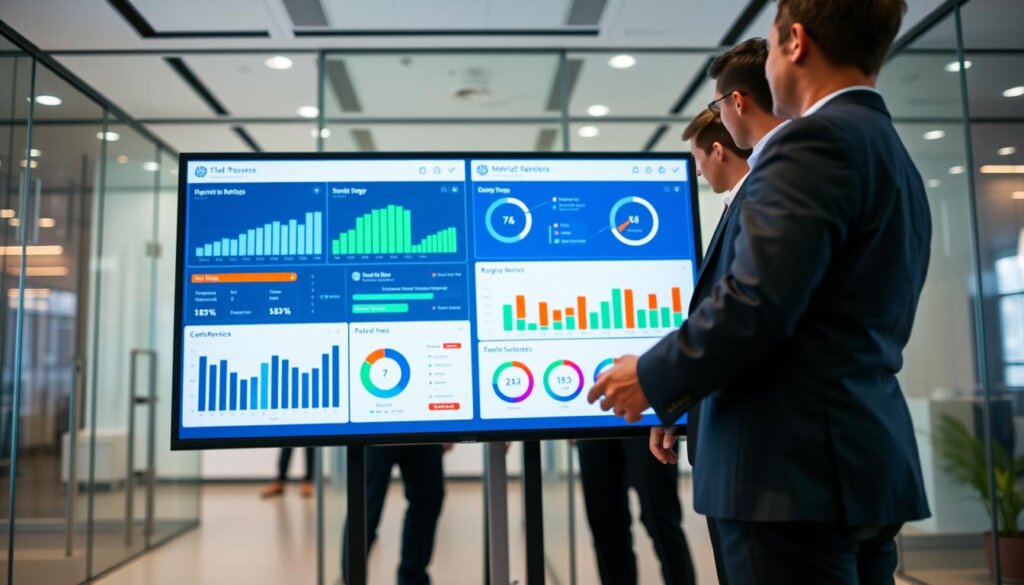
Modern FSM extensions gave custom dashboards and real-time reporting so I saw bottlenecks instantly.
Dashboards and reporting that helped me spot bottlenecks early
Configurable dashboards showed schedule health, aging work orders, and rework patterns. I used visual alerts to escalate exceptions and reassign teams quickly.
How I tied data back to invoicing, revenue, and operational costs
I linked field data to financial reports so every completed job flowed into billing. That connection made the business case clear: fewer disputes, faster cash, and lower operational costs.
Secure, role-based access to accurate, real-time information let office leads and supervisors act fast and keep momentum steady.
Conclusion
My final lesson was simple: visibility, measurement, and repeatable steps beat heroics every time.
Start with why and build a lean decision group. Define clear requirements, redesign workflows, prove ROI, test like real days, train in short bites, and manage change with steady sprints.
Extending an ERP with modern field service software often wins: faster dispatch, mobile capture, cloud access, dashboards, and cleaner data without ripping everything out.
The payoffs are practical—fewer missed jobs, faster responses, fewer revisits, quicker invoicing, and lower operational drag.
Pick one costly workflow, map it end-to-end, and use that map to drive requirements and vendor choice. Modernization isn’t a fad—it’s respect for the team who does the work and the customers who depend on them.
See how FieldAx can transform your Field Operations.
Try it today! Book Demo
You are one click away from your customized FieldAx Demo!
FAQ
Why did I decide to modernize my field operations even though nothing felt broken?
I realized paper trails and manual work orders were hiding inefficiencies. Jobs slipped, response times lagged, and my team burned time on duplicate entries. Modern tools gave me visibility, reduced errors, and let me treat operations as an investment that boosts customer satisfaction and revenue.
What were manual work orders and paper trails really costing my business?
They cost me time, missed jobs, and bad data. Teams lost hours on paperwork, dispatchers struggled with incomplete information, and billing got delayed. That combination hurt cash flow, customer trust, and my ability to scale.
What early warning signs told me my operations were falling behind customer expectations?
Slow response times, rising repeat visits, frequent schedule changes, and complaints about communication. When technicians didn’t have job history or parts visibility on-site, customers noticed—and so did I.
What did “not losing control” mean for my office and field teams?
It meant real-time visibility across dispatch, jobs, and customer messages without micromanaging people. I wanted clean accountability, fast decisions, and tools that let teams own outcomes while I monitored metrics and compliance.
How did I get accountability without micromanaging technicians?
I standardized processes, set clear responsibilities, and used dashboards to track KPIs like response and completion times. That let me coach performance rather than chase behavior, which preserved trust and autonomy.
How did I define my why, vision, and guiding principles before changing systems?
I mapped outcomes for executives, office staff, and technicians: faster invoicing for finance, clearer schedules for dispatch, and mobile tools for field teams. Then I set principles—simplicity, speed, and measurable ROI—to avoid scope creep.
How did I balance time, budget, and process change without derailing the project?
I phased work, prioritized must-have features, and protected a core timeline. Small pilots validated choices early, and I reserved contingency for unexpected process fixes so the program stayed on track.
Who did I put on the project team and what roles mattered most?
I kept a lean core: a project lead, dispatch rep, technician champion, IT liaison, and finance owner. Later I added a change manager and regional reps. That mix kept decisions fast and adoption focused on real work needs.
How did a steering committee help across locations?
The committee aligned regional priorities, cleared roadblocks, and signed off on trade-offs. Their buy-in sped rollouts and reduced resistance because changes came from familiar leaders, not just vendors.
How did I decide whether to replace our system or extend the ERP?
I reviewed functionality gaps, integration costs, and long-term risk. ERPs often missed dispatch and mobile features, so when the ERP couldn’t meet core work order needs, a specialized solution made more sense.
When did extending the ERP make sense instead of a full replacement?
When the ERP covered billing, inventory, and contracts well, and I only needed dispatch and mobile capabilities. In those cases, a tightly integrated field tool reduced handoffs and avoided a full rip-and-replace.
What integration outcomes did I target?
I targeted fewer handoffs, less duplicate entry, and better data accuracy. My goal was one source of truth for customer records, parts, and invoices so everyone could act from the same information.
What essentials did I include on my requirements checklist for control, speed, and adoption?
Fast work order creation and scheduling, reliable mobile tools for photos and digital signatures, cloud access to job history, instant notifications for changes, customizable dashboards, maps to cut drive time, and a customer portal for status and invoices.
How did I redesign workflows so the office and field stayed in sync?
I built custom forms that matched daily routines, enforced real-time syncing to stop re-entry, and surfaced inventory visibility so technicians arrived with the right parts and accurate ETAs.
How did I prove the investment would pay off?
I modeled gains in customer satisfaction, higher first-time fix rates, faster scheduling, and reduced days to invoice. Those operational wins translated into revenue improvements and lower operating costs.
How did I test the new solution so go-live wasn’t a fire drill?
I ran real-world scenarios with pilot crews, used a testing matrix to link work orders to billing, and rehearsed cutover steps. That caught gaps early and kept the launch predictable.
What training approach helped the team adopt without slowing operations?
Short videos, printable cheat sheets, and targeted user guides that people actually used. Weekly live sessions made training interactive and gave me quick feedback to improve materials.
How did I manage change so adoption stuck after launch?
I kept user needs front and center, prioritized meaningful feedback, and maintained a steady sprint cadence post-launch. Regular communication and visible quick wins built trust and momentum.
Which metrics did I track to measure control and momentum?
I tracked response times, job completion time, technician productivity, and first-time fix rate. Dashboards helped me spot bottlenecks early and tie field data back to invoicing and operational costs.
How did I keep customers informed during the transition?
I used automatic notifications, a customer portal for status updates, and clear communications about benefits they’d see—faster schedules, real-time ETAs, and smoother billing. Transparency reduced friction and increased satisfaction.